Contents
Planoly deserves credit: it helped invent the visual Instagram grid planner, and a decade later it is still one of the nicest ways to look at your upcoming feed. This comparison exists because many Planoly users eventually hit the same wall: the feed looks great, and everything around the feed (replies, reports, approvals, more platforms) lives somewhere else.
The short version: Planoly is a planner. Pallyy is a planner plus the management layer. Which one you need depends entirely on whether your Instagram is a gallery or a business.
Pallyy vs Planoly at a glance
| Pallyy | Planoly | |
|---|---|---|
| Starting price | Free, paid from $15/mo | $16/mo ($14 annual) |
| Upload caps | None | 60/mo on Starter |
| Visual grid planner | Included, plus free tool | Included, excellent |
| Pinterest support | Scheduling included | First-class strength |
| Unified inbox | Included | No |
| Client reports | Included | Basic analytics |
| Extra users | Included on Pro sets | Paid add-on |
What Planoly still does beautifully
- The grid planning experience is polished and pleasant, with drag and drop that feels native.
- Pinterest support is a genuine strength; Planoly treats Pinterest as a first-class platform rather than an afterthought.
- Creator content tools (templates, placeholders, content ideas) suit aesthetic-driven accounts.
- The free mobile plan (10 uploads a month) is a fair way to try visual planning.
None of that disappears when we talk about limits. If your entire workflow is "make the grid beautiful, post it, done", Planoly serves it well at $16 per month.
The walls you eventually hit
The upload cap. Starter allows 60 uploads a month. One brand posting feed content, stories and reels daily blows through it, and the fix is Growth at $28.
No inbox. Comments and DMs are answered in the apps, per platform, forever. Pallyy's social inbox collects them across platforms into one queue, which for a busy account changes the day more than any planning feature.
Shallow analytics. Planoly reports the basics. Client-ready reporting means exporting and rebuilding elsewhere, while Pallyy's analytics generate shareable reports per social set.
Add-on growth. Extra users and extra social sets are paid add-ons on every Planoly plan ($3 to $10 each). Pallyy's Pro set is $25 with everything included, and extra brand sets are a flat $10.
Pallyy
- Free$0
- 1 social set, 1 user, 15 image posts per month
- Pro$25/month
- 1 social set and 1 user; scheduling, analytics, inbox and approvals. Extra sets $10/month; no extra users
- Agency$99/month
- 10 social sets, 3 users and custom reports; extra sets and users $10/month each, within plan limits
- Scale$199/month
- 30 social sets, 10 users and custom reports
Planoly
- Starter$16/month ($14 annual)
- 1 social set, 60 uploads per month, 1 user
- Growth$28/month ($24 annual)
- 2 social sets, unlimited uploads, 2 users
- Pro$43/month
- More sets and users, add-ons available
Prices last verified August 2026. Always confirm current pricing on each vendor's site.
The feed planner question, answered directly
Switching does not mean losing visual planning. Pallyy includes a drag and drop grid planner for Instagram, plus a free feed planner tool and a free grid maker you can use before ever creating an account. The planning experience is comparable; the difference is everything attached to it.
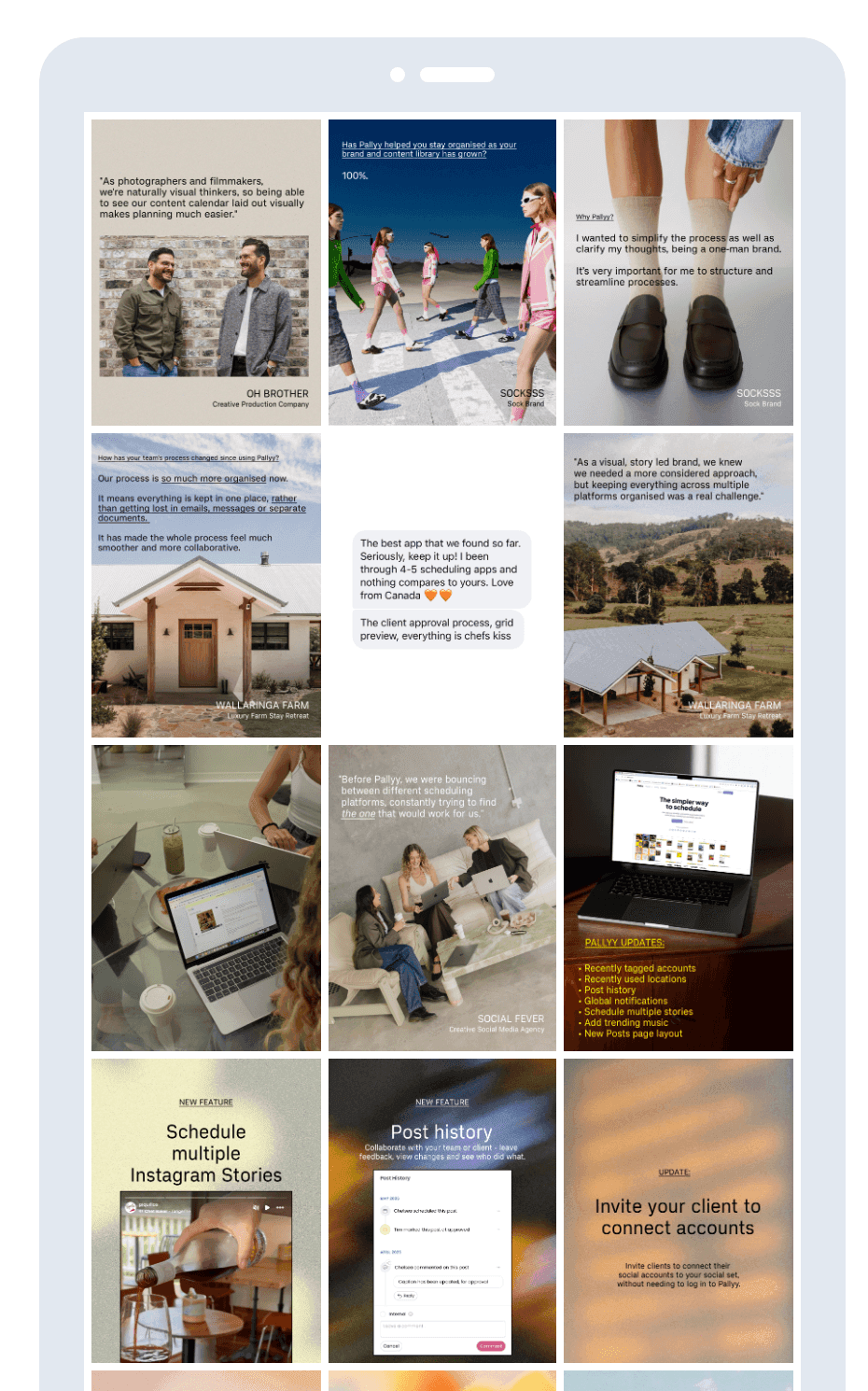
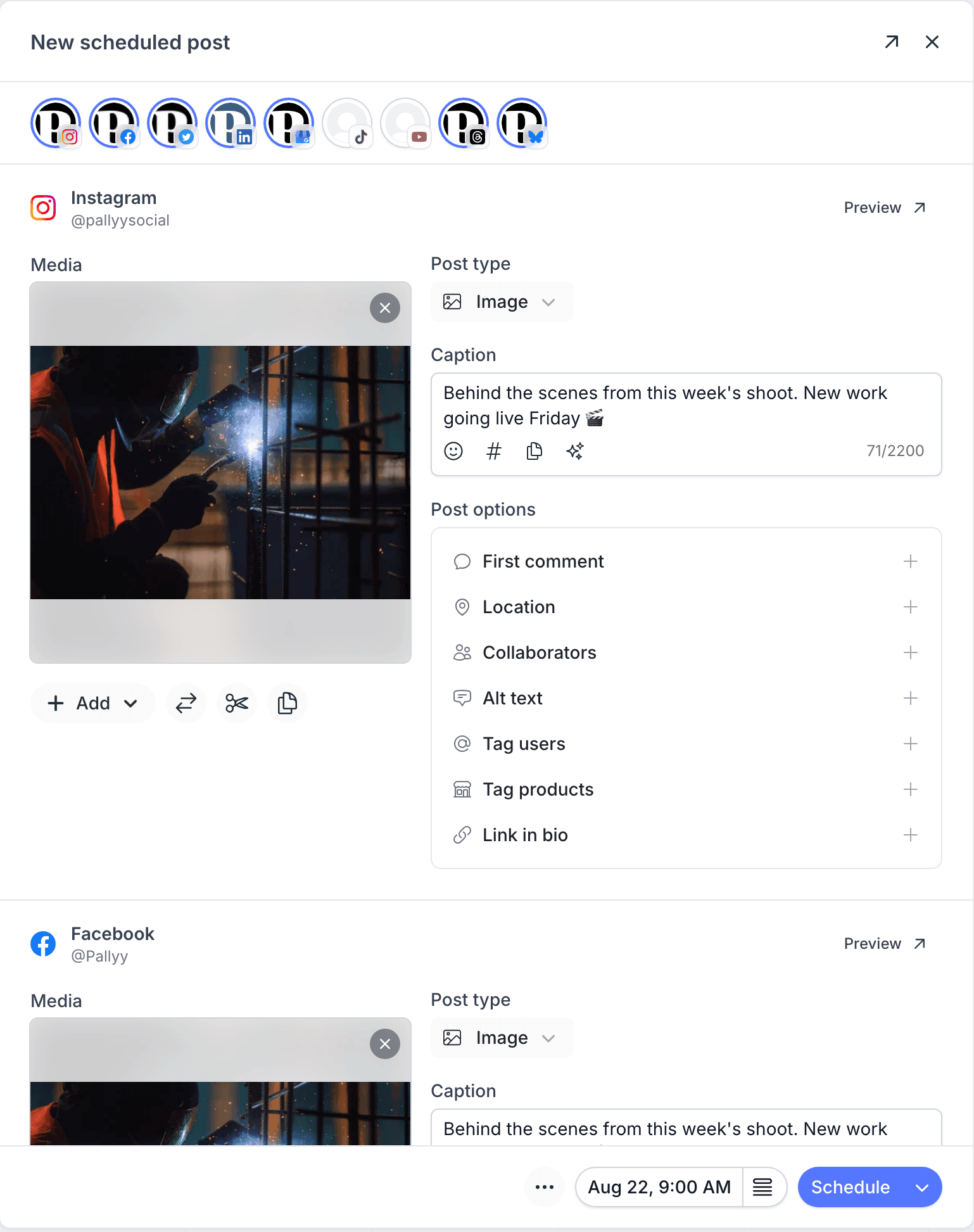
Interior design practice Studio Terrando composes its feed in this planner the way it composes a wall of images. And "everything attached to it" starts with the composer, where one post goes to every network with its own caption and preview:
For a deeper look at planning your aesthetic, our guide to creating the perfect Instagram aesthetic covers the workflow either tool supports.
Cost comparison at three sizes
A creator planning one feed lightly: Planoly Starter $16 vs Pallyy Pro $25, or Pallyy's free plan if image posts and 15 posts a month cover it. Planoly is cheaper at the entry level, so pick Pallyy only if the inbox, analytics, or approvals earn the gap.
A brand posting daily across platforms: Planoly needs Growth ($28) for unlimited uploads and still has no inbox or real reports. Pallyy Pro at $25 includes all three.
A freelancer with three brands: Planoly Growth plus an extra set add-on lands around $38 with two users. Pallyy is $25 + 2 × $10 = $45 with unlimited users on the sets and approvals included; slightly more, and the inbox and reporting are usually why it is worth it. That is an honest "it depends", and the agencies page covers the multi-client setup in detail.
Who should pick which
Stay on Planoly if: you are aesthetic-first, Pinterest-heavy, post moderately, and answer DMs happily in the apps.
Switch to Pallyy if: the feed is one part of a bigger job that includes replying, reporting and client sign-off, or you have simply outgrown upload caps.
Both have free options (Pallyy's plans include a free tier and 14 day trial), so the cheapest way to decide is a week of real use in each. If Later is also on your shortlist (it usually is for visual planners), our Later comparison runs the same honest math, and the compare page has every matchup.
Other Planoly alternatives worth considering
The visual planning market is wider than these two:
- Later is the other big visual-first planner, with a more mature link in bio product and its own post caps. See the Later comparison.
- Buffer if you have outgrown grid-first planning and want simple multi-channel scheduling with a free plan. See the Buffer comparison.
- Metricool if analytics depth should come with the scheduler; its free plan is real. See the Metricool comparison.
- SocialBee if evergreen recycling suits your content more than aesthetic planning. See the SocialBee comparison.
- Vista Social for a broad all-in-one a step upmarket, from $79 per month. See the Vista Social comparison.
How to switch from Planoly to Pallyy
The move takes an afternoon:
- Start a free trial and connect your profiles; each brand becomes one social set with no upload caps.
- Re-upload your planned content and arrange it in the grid planner, or try the free feed planner first without an account.
- Rebuild your posting schedule as queue times on the calendar.
- Invite teammates or clients and run both tools in parallel for a week before cancelling.
The honest caveats: planned-but-unposted content needs re-uploading, and if Pinterest is your primary platform, test Pallyy's Pinterest scheduling against Planoly's before committing, because that is Planoly's genuine strength.
Pallyy vs Planoly FAQ
Does Pallyy have a visual planner like Planoly?
Yes. Pallyy includes a drag and drop Instagram grid planner, and free feed planner and grid maker tools you can try without an account. The visual planning experience is comparable; Pallyy adds the inbox, analytics and approvals around it.
Is Pallyy or Planoly cheaper?
Planoly is cheaper at the entry level: its Starter is $16 per month against Pallyy Pro at $25, though Pallyy also has a free plan for light image posting. The difference appears with real usage: Planoly's Starter caps uploads at 60 per month and sells extra users and sets as add-ons, while Pallyy Pro removes caps and includes the inbox, analytics, and approvals.
Is Planoly still better for Pinterest?
Planoly's Pinterest tooling is a genuine strength and slightly ahead of most schedulers. Pallyy supports Pinterest scheduling too, but if Pinterest is your primary platform, try both against your actual workflow before switching.
Why do people look for Planoly alternatives?
The upload caps are the usual trigger. Starter's 60 uploads a month disappears fast once a brand posts feed content, stories and reels daily, and the surrounding jobs (inbox, reports, approvals) live in other tools. Accounts that grew from a gallery into a business outgrow it.
What is the best free Planoly alternative?
Pallyy's free feed planner tool gives you the signature grid preview without even creating an account, and the free plan covers one user's core scheduling. Metricool is the other real free plan, with an analytics lean rather than a visual one.
Does my planned Planoly content transfer to Pallyy?
No, planned content does not transfer between scheduling tools. You re-upload upcoming media, arrange the grid and rebuild your queue, which for most accounts is an afternoon. Everything already published stays on Instagram itself.