
Pallyy's link in bio gives you a single page for all your links, made to sit in your Instagram bio. It's included on every paid plan, and a live preview shows your page as you build it.
How to set up your bio link page
From nothing to a live page takes a few minutes:
- Go to Link in Bio > Links.
- Click Create link and choose Link for a text button or Grid link for an image tile.
- Fill in the Text and URL, add an Image for grid links, and save. The live preview updates as you go.
- Open General under the settings menu, set your Custom URL, and make sure the page is enabled.
- Add your image, title, and description on the Profile page, then pick a look under Themes.
- Paste your page's URL into your Instagram bio.
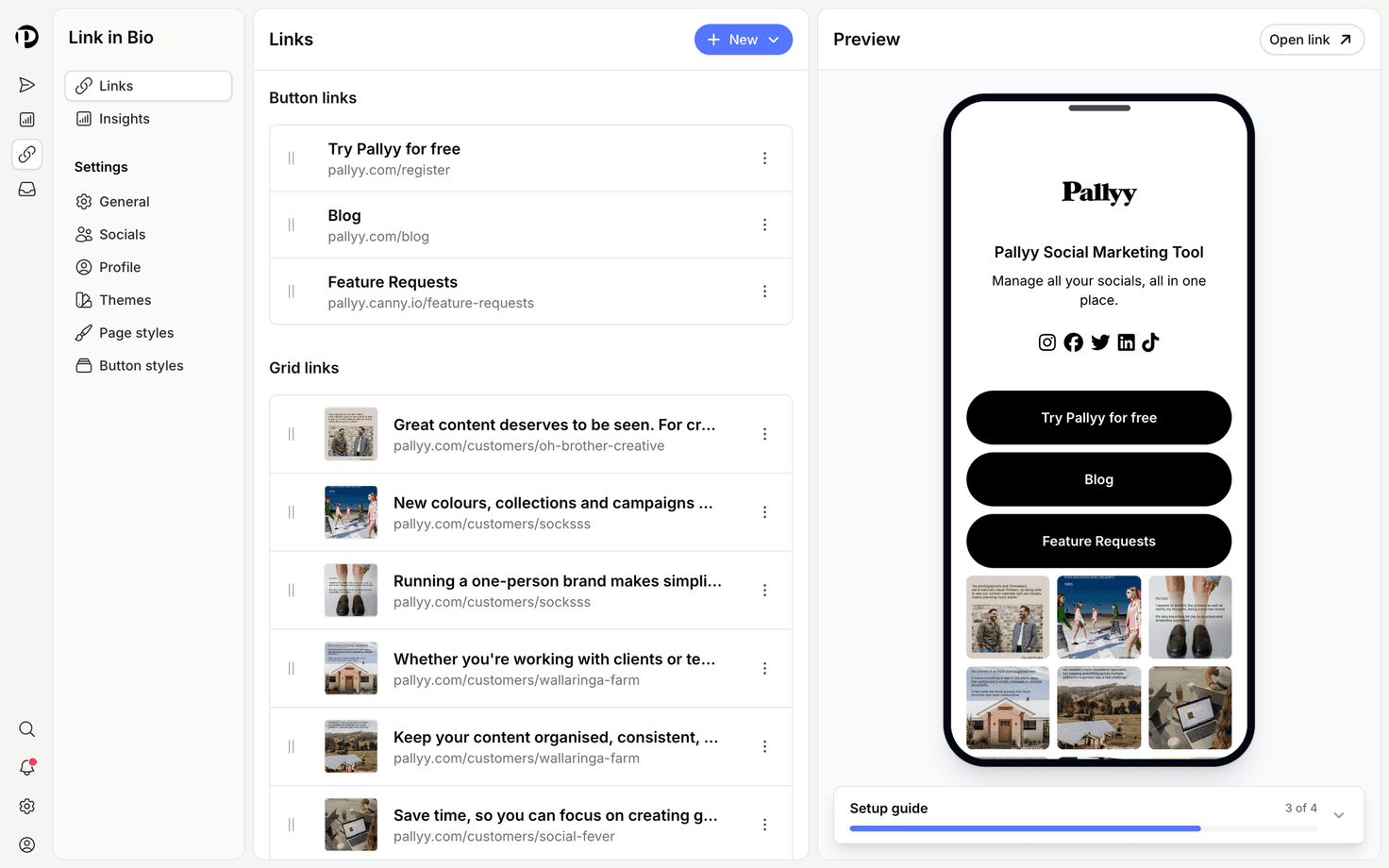
Add links and grid links
Your bio link page supports two kinds of links: a Link, which is a text button, and a Grid link, which is an image tile. Grid link images come from your media library or straight from your Instagram posts, so the page can mirror your feed. Reorder, edit, and delete links whenever you like, and the live preview updates as you go.
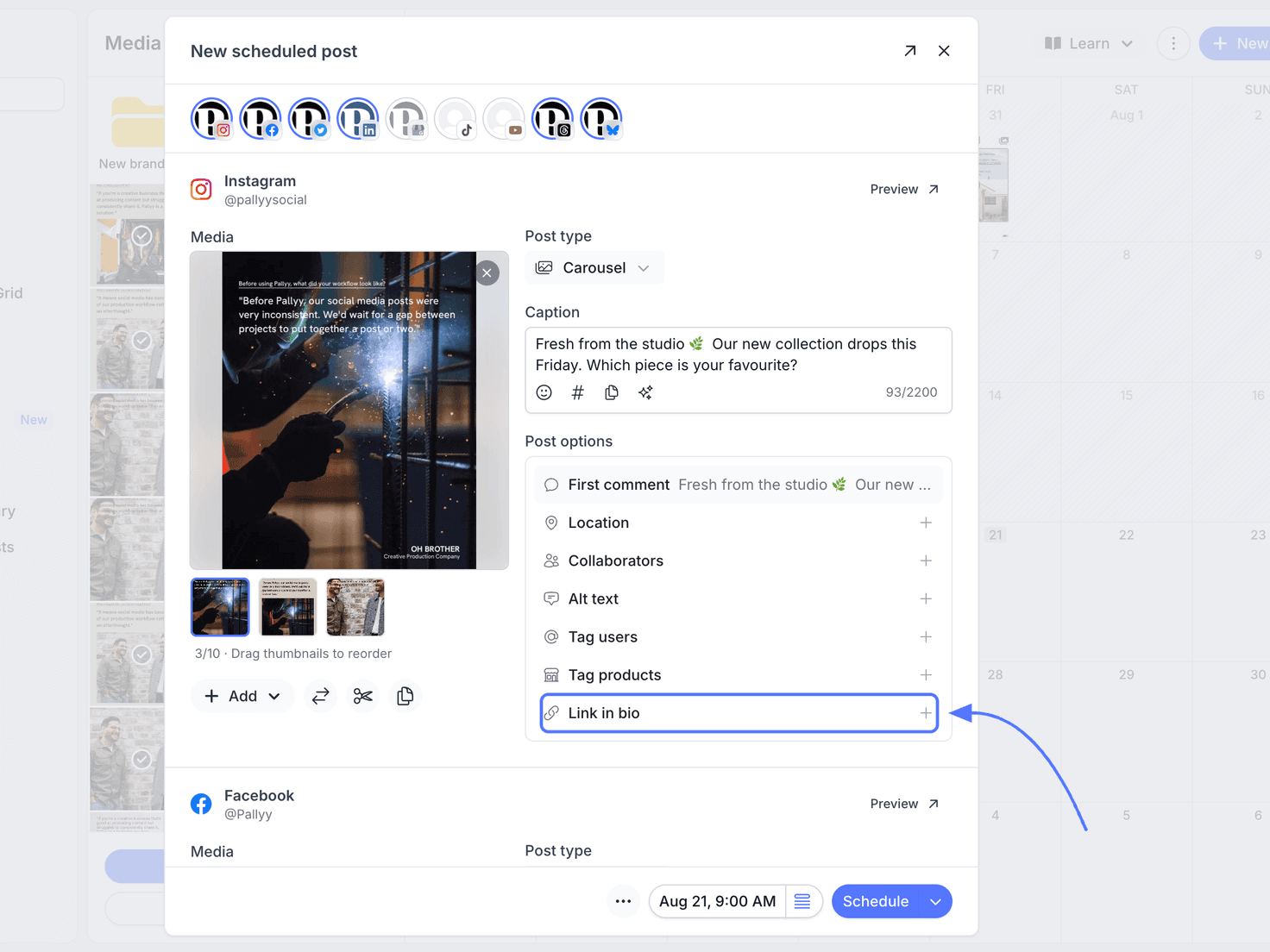
There's a scheduling bonus too: Instagram posts scheduled in Pallyy can carry a link that opens from the bio link grid, so "link in bio" actually leads somewhere specific for each post.
Page settings and branding
The bio link settings cover everything from your URL to your branding:
- General: enable or disable the page, set a custom URL, and toggle Pallyy branding, with hiding the branding included on every paid plan.
- Socials: URL fields for your profiles.
- Profile: your image, title, and description.
Fill in the profile properly. A clear title and description make the page feel like yours rather than a template.
Style it with themes
Themes give your bio link page a look in one click, and page and button style controls let you fine-tune from there, with background and text colors for both. Match your brand colors and the page slots neatly into the rest of your presence.
See what gets clicked
The bio link insights show clicks and impressions over time, plus a per-link click table, so you know which links earn their spot.
If a link never gets clicked, swap it for something people actually want. Fewer, stronger links usually outperform a long list.
Frequently asked questions
Which plans include the bio link?
Pallyy's link in bio is included on every paid plan: Pro, Agency, and Scale. The Free plan doesn't include it. Removing the Pallyy branding is included on every paid plan too.
Where do grid link images come from?
Grid links on your bio link page pull their images from your Pallyy media library or from your Instagram posts, so you can build a grid that looks just like your feed.
Can I see how my bio link performs?
Yes. The bio link's insights show clicks and impressions over time, along with a table of clicks per link, so you can see exactly which links people tap.
More in Features
Still need help? Email us at hey@pallyy.com and we'll get back to you.