
Pallyy's in-app notifications panel collects everything that needs your attention in one place: post activity from your team and shared calendars, failed publishing alerts, and connection problems with your social accounts. Open the panel and you know exactly what changed while you were away.
How to check your notifications
The panel is one click away from anywhere in the app.
- Click the Notifications bell in Pallyy's left sidebar.
- The panel opens with your latest notifications, and a dot on the bell means something's unread.
- Filter the list by Unread or Read to focus on what's new.
- Click a notification to act on it, like Fix connection on a connection alert.
- When you're caught up, click Mark all read.
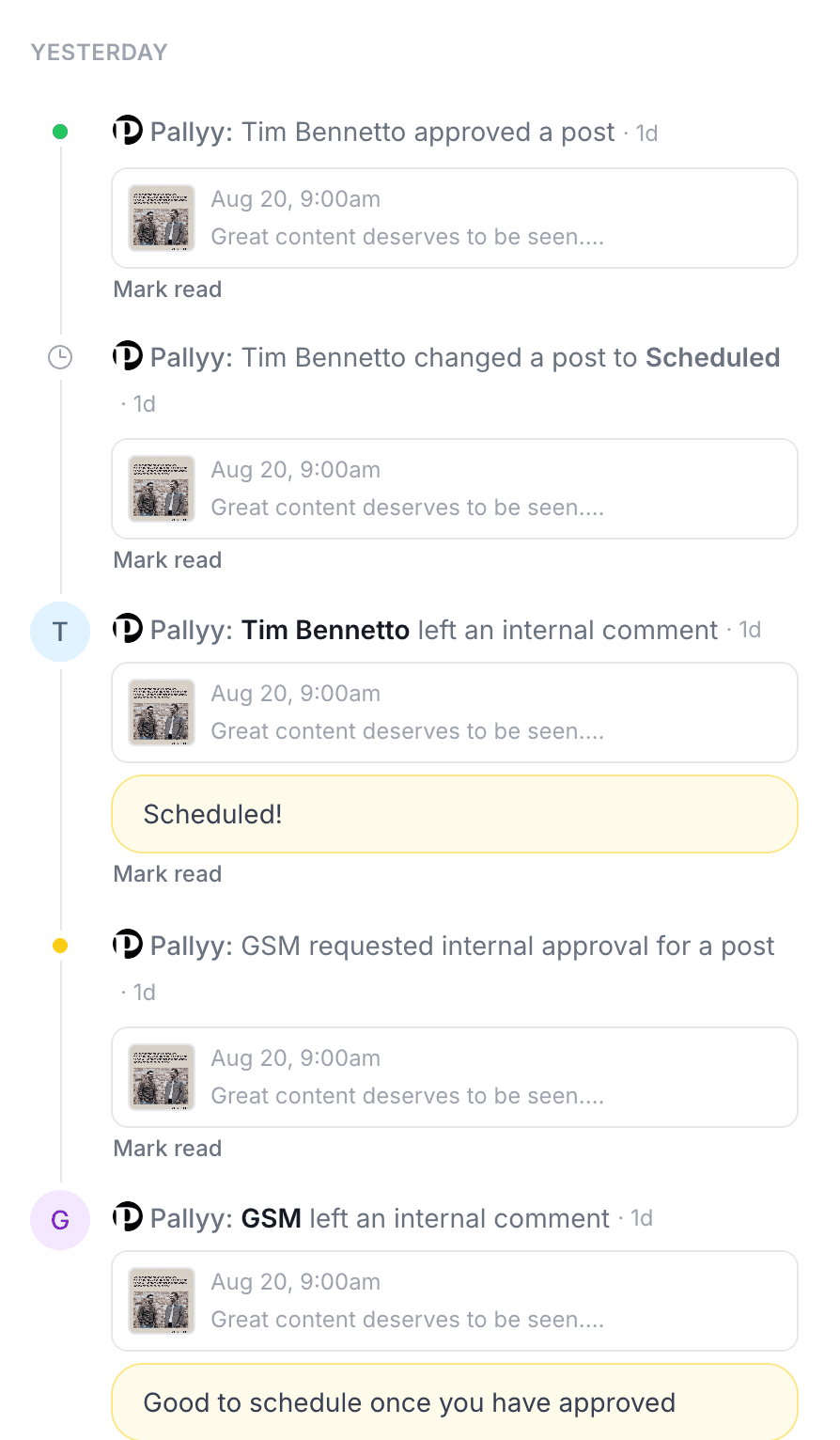
Post activity from your team
Post activity notifications cover comments, approval changes, and status changes on your posts, whether they came from your team or from clients on shared calendars. When a teammate comments on a post, everyone on the team gets notified, so feedback never sits unseen. Approval changes show up the same way, which makes the panel a running feed of your approvals workflow. If you want the full story behind any change, the post's post history has the complete timeline.
Failed publishing alerts
A failed publish triggers a notification immediately, so a post that didn't go out never fails silently. Instead of discovering a gap in your feed two days later, you see the alert, open the post, and get it back on track.
Connection alerts
Connection alerts fire when Pallyy can't verify a social account's token, shown as "token verification failed" with a Fix connection action right on the notification. One click takes you to reconnecting the account, which is usually all it takes.
Expired tokens are the most common reason posts stop publishing, so act on connection alerts fast to keep your schedule safe.
Manage your notifications
You can filter the panel by Unread or Read, and clear the backlog with Mark all read. Skim the unread list each morning, mark it read, and you're caught up.
Frequently asked questions
What shows up in Pallyy's notifications panel?
Post activity (comments, approval changes, and status changes from your team and shared calendars), failed publishing alerts, and connection alerts for your social accounts.
Will my team know when I comment on a post?
Yes. Comments on posts notify your team in Pallyy's notifications panel, so feedback gets seen without you chasing anyone.
What does "token verification failed" mean?
It means Pallyy couldn't verify the connection to one of your social accounts. Use the Fix connection action on the notification to reconnect the account before it affects publishing.
More in Features
Still need help? Email us at hey@pallyy.com and we'll get back to you.