
Pallyy handles timezones on two levels: your account has one, and each social set can have its own, so all your scheduling is timezone-aware no matter where you or your audience live. Set them once and 9am always means 9am where it counts.
How to set your timezone
Both settings take under a minute.
- Go to Settings > Account.
- Pick your timezone in the Timezone field and click Update. This is your account-wide default.
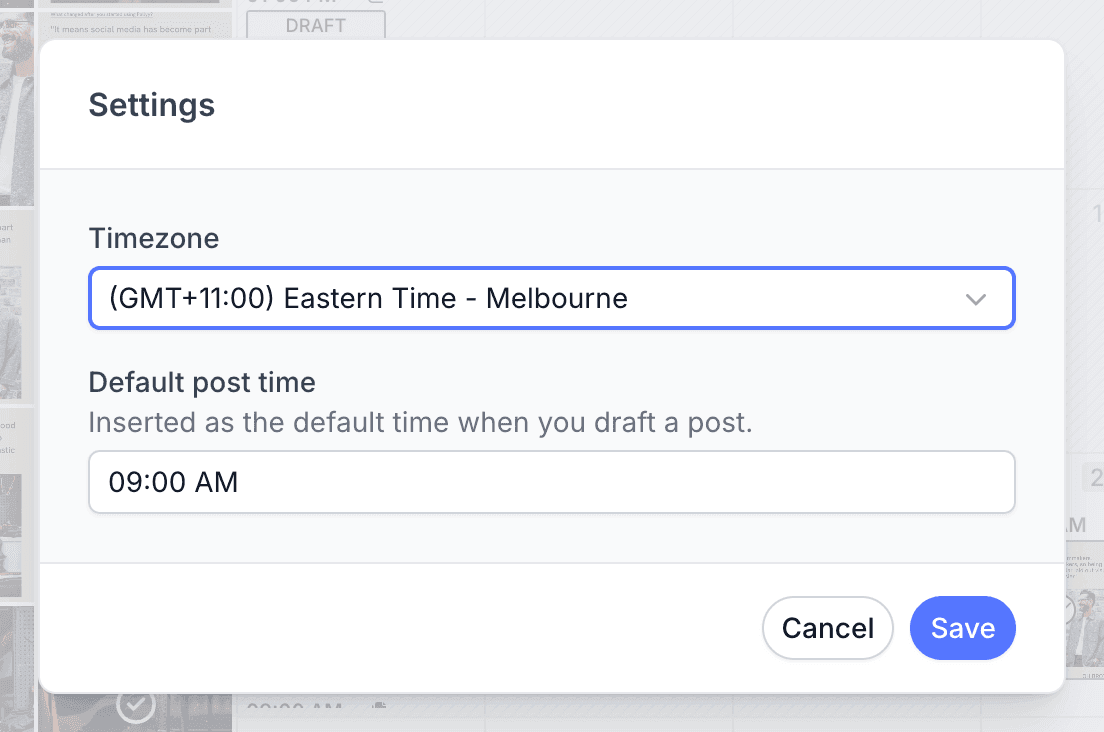
- For a per client timezone, open that social set's calendar, click the three dot menu in the header, and choose Settings.
- Set the Timezone and Default post time for that social set.
- Click Save. That set's calendar and scheduling now run in its own timezone.
Your account timezone
Your account timezone lives at Settings > Account. It's the default for everything: any social set without its own timezone uses this one. If you only post for one brand in one place, this is the only timezone setting you'll ever touch.
Per social set timezones
Each social set can have its own timezone plus a Default post time, set from the calendar's Settings modal. When a set doesn't have its own values, it falls back to your account timezone and 09:00.
The default post time pre-fills whenever you schedule, so posts land at your preferred slot without picking a time every single time.
Scheduling across timezones
Because every social set can run in its own timezone, an agency can run each client's calendar in that client's timezone. A New York client's calendar reads in New York time and a Sydney client's in Sydney time, and you schedule "8am for them" in both without converting anything in your head. Pallyy does the math, you do the content.
Frequently asked questions
Where do I change my timezone in Pallyy?
Your account timezone is at Settings > Account. Per social set timezones live in the calendar's Settings modal.
Can each client have their own timezone?
Yes. Each Pallyy social set can have its own timezone, so an agency can run every client's calendar in that client's local time.
What happens if I never set a social set's timezone?
It falls back to your account timezone with a default post time of 09:00. Pallyy always has a sensible answer, even before you configure anything.
More in Features
Still need help? Email us at hey@pallyy.com and we'll get back to you.