
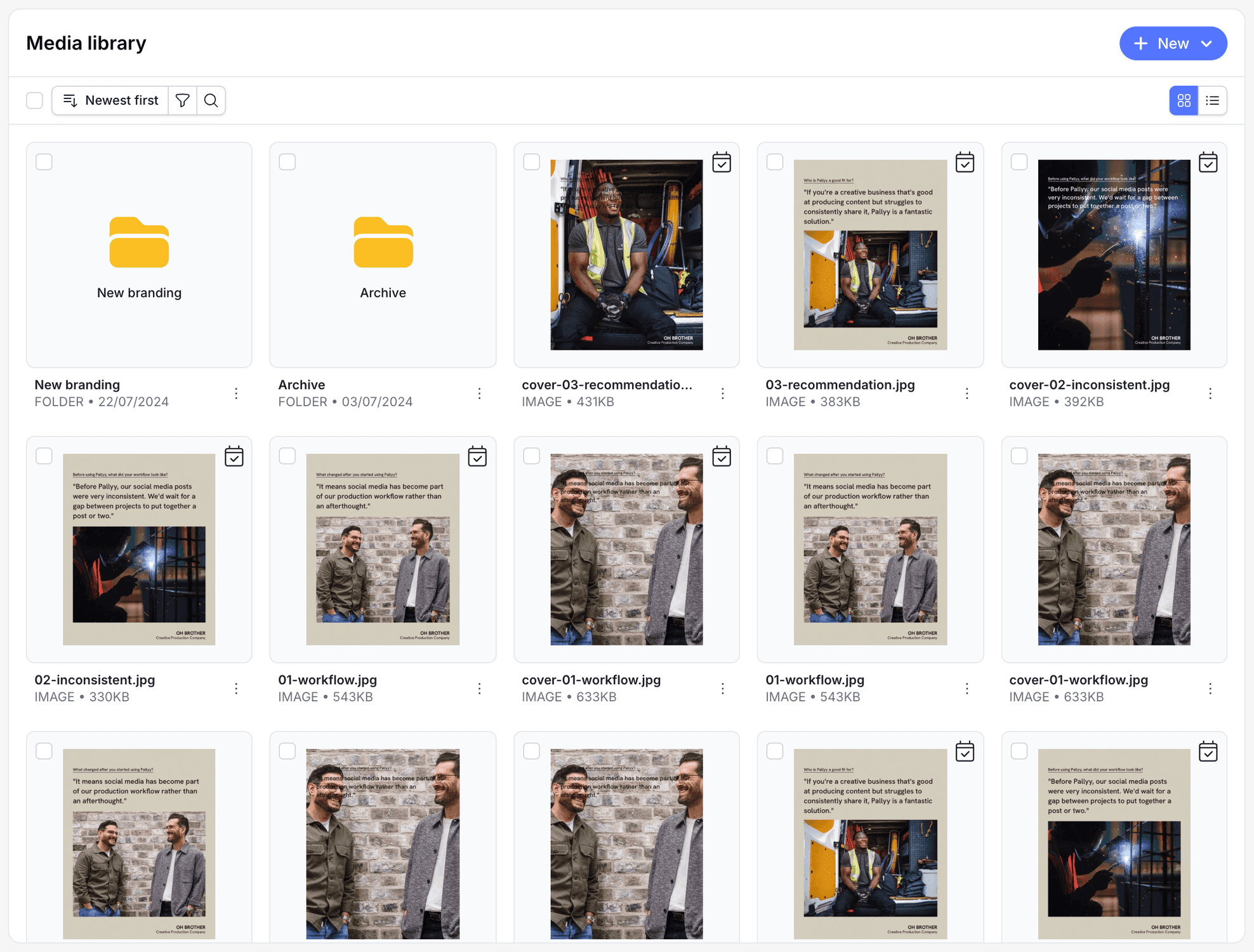
Pallyy's media library is where you upload media, create folders, and organize your assets, all in one place under Publish > Organize > Media Library. Everything you store there is ready to drop into your next post.
How to upload media
Getting files into the library takes a minute.
- Go to Publish > Organize > Media Library.
- Click New, then Media Upload.
- Pick files from your computer, or pull them from a connected source like Canva, Unsplash, or Dropbox.
- Add a name and caption if you want a head start when the file becomes a post.
- Once the upload finishes, the files land in your current folder, ready to use. Click New, then Folder first if you want them somewhere tidier.
Upload from just about anywhere
The media library accepts uploads from your computer and a stack of connected sources: Canva, Unsplash, Dropbox, Box, OneDrive, a URL, or even your webcam. There's a built-in image editor too, so quick crops and tweaks don't need another app.
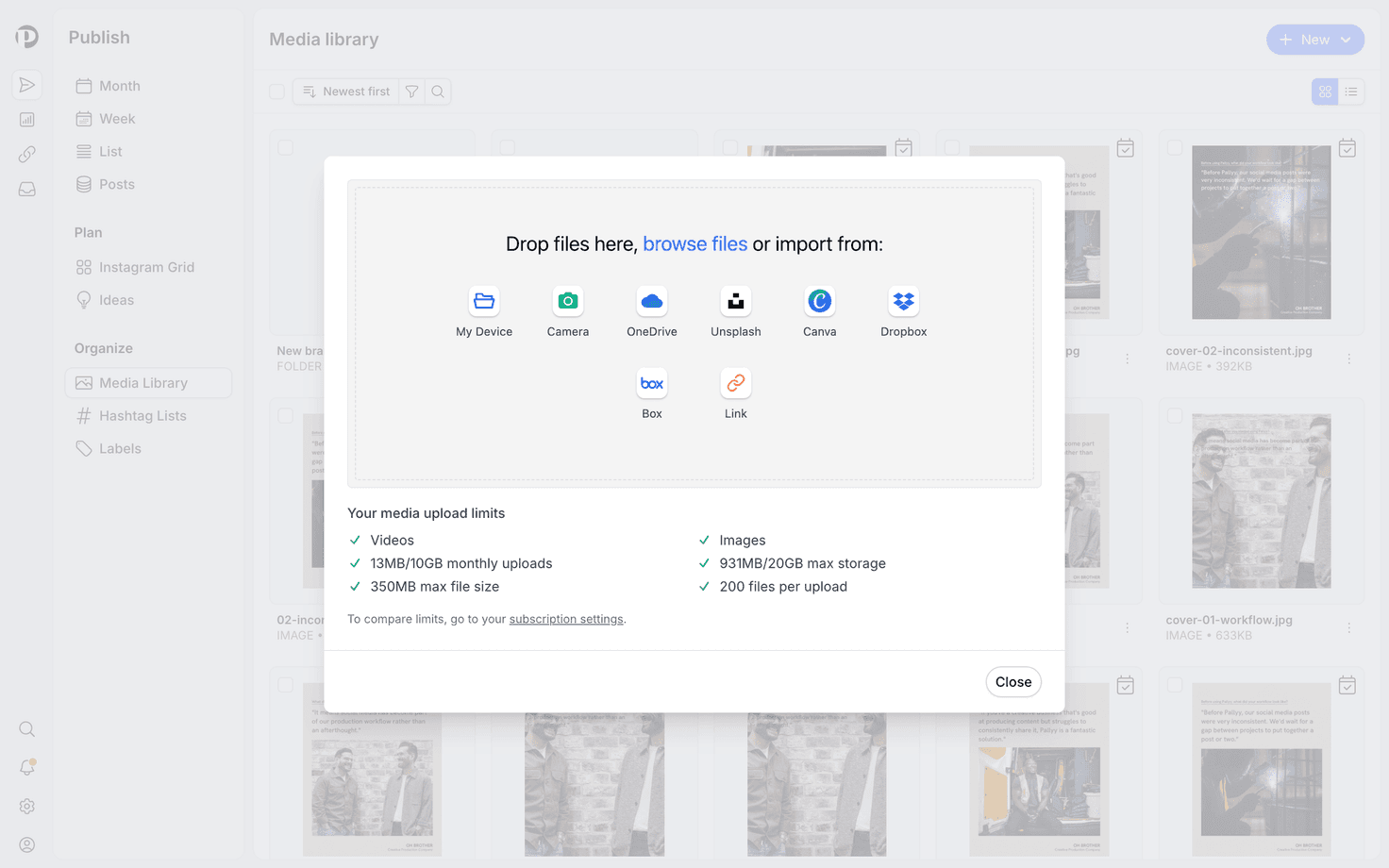
The upload modal shows your storage used against your plan's maximum, so you'll never be surprised mid-upload. Storage runs from 200 MB on Free to 10 GB on Pro, 20 GB on Agency, and 50 GB on Scale; full limits are on the pricing page.
Organize with folders
Folders in the media library keep your assets findable, and they nest, with breadcrumbs to show where you are. Rename and move folders as your system evolves, maybe a folder per campaign, or per month.
If you manage several brands, you can clone folders or individual files to another social set, and storage adjusts to match. Great for assets a few clients share, like stock textures or templates.
Find and manage your files
The media library gives you a grid or list view, plus filters to cut through a big library: image or video, Used or Unused, sorted by newest, oldest, or name, with search on top. The Unused filter is quietly the best one, showing content you've uploaded but never posted.
For any file you can edit its name and caption, download it, or delete it. Bulk select works for delete, move, and clone, so reorganizing a hundred files isn't a hundred clicks.
Give files a caption when you upload them. When you later pull that file into a post, having a head start on the caption saves real time.
Frequently asked questions
How much storage do I get?
Media library storage depends on your Pallyy plan: 200 MB on Free, 10 GB on Pro, 20 GB on Agency, and 50 GB on Scale. The upload modal always shows how much you've used.
Can I share media between social sets?
Yes. The media library lets you clone folders or files to another social set, and your storage total adjusts to account for the copies.
How do I find media I haven't posted yet?
Use the media library's Unused filter. It shows every file you've uploaded but haven't used in a post, and you can combine it with the image or video filter and search.
More in Features
Still need help? Email us at hey@pallyy.com and we'll get back to you.