
OneDrive is built into Pallyy's media uploader, so if you live in the Microsoft ecosystem, the photos and videos you keep there import straight into your posts.
How it works
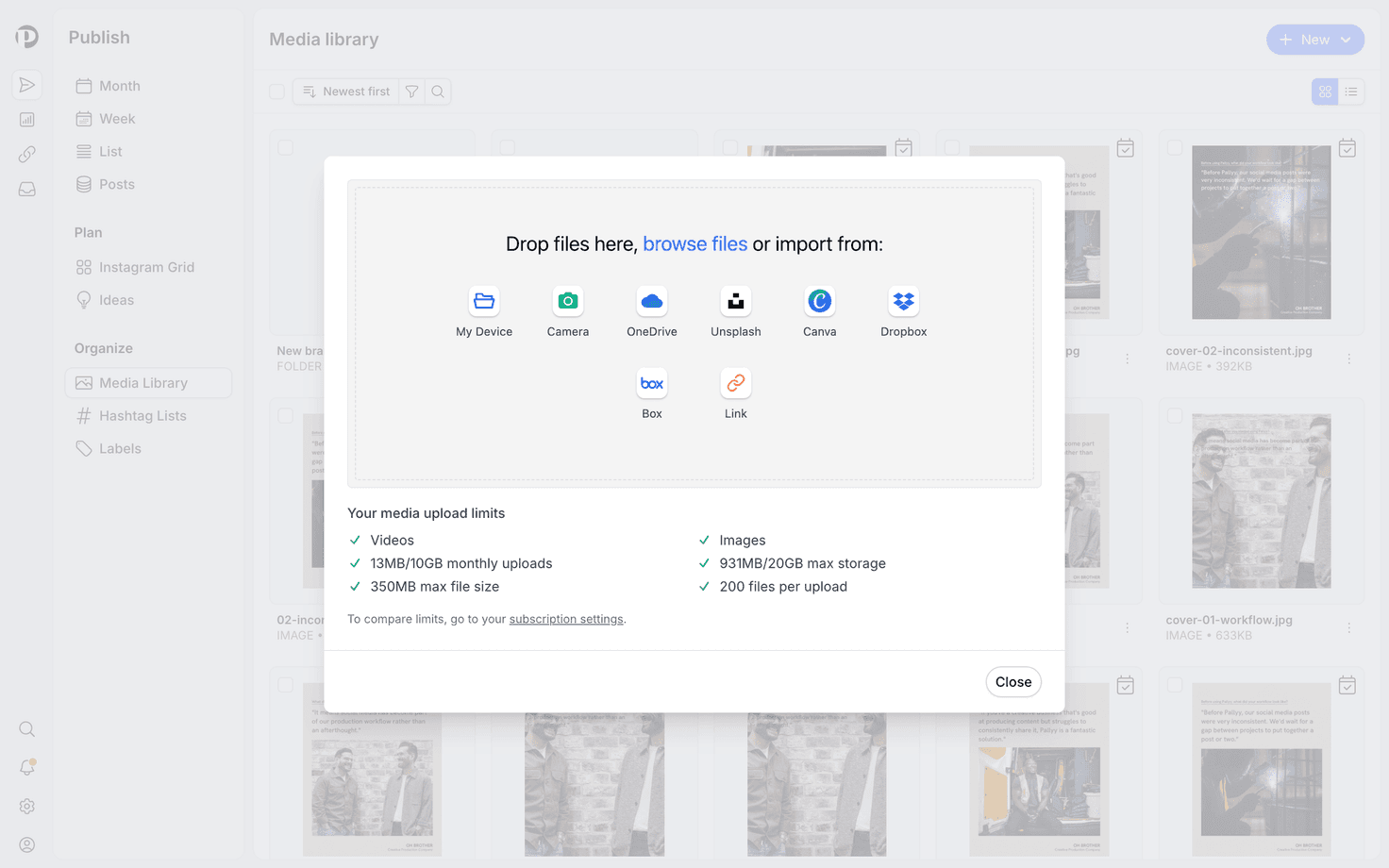
- Open the media uploader, when composing a post or adding to your media library.
- Pick OneDrive as the source.
- Connect your Microsoft account the first time, then browse your folders.
- Select the files you need and they import into Pallyy like any other upload.
Where you can use it
The OneDrive option lives in the media uploader itself, so it works anywhere you add media in Pallyy. The uploader also imports from Dropbox and Box, pulls stock photos via the Unsplash integration, and creates graphics with the Canva integration.
Frequently asked questions
Do imported files count toward my storage?
Yes. Files imported from OneDrive are stored like any other upload and count toward your plan's media storage and upload limits, which are listed on the pricing page.
Do my files stay in OneDrive?
Yes. Importing copies the file into Pallyy. Nothing is moved or deleted in your OneDrive account.
What about file size limits?
Pallyy's plan limits apply as usual: the Free plan caps files at 10 MB, and every paid plan allows files up to 350 MB.
More in Integrations
Still need help? Email us at hey@pallyy.com and we'll get back to you.