
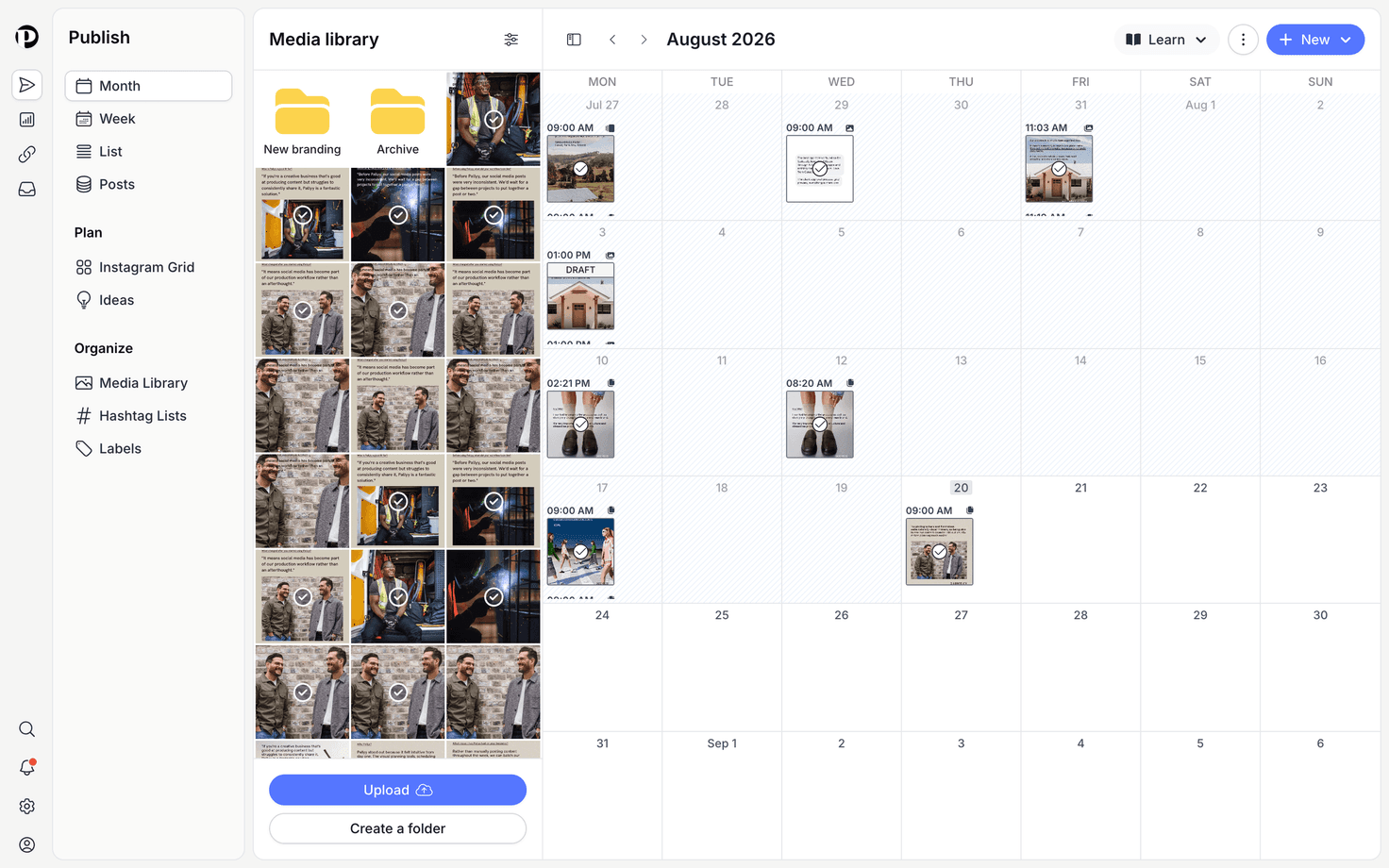
Pallyy's calendar is where you plan and schedule everything, with month, week, and list views of your upcoming posts. It lives in the Publish section, and once you've used the drag and drop a few times, spreadsheets start to feel a bit silly.
How to schedule a post from the calendar
Scheduling from the calendar takes about a minute once your social accounts are connected.
- Open your Calendar > Month.
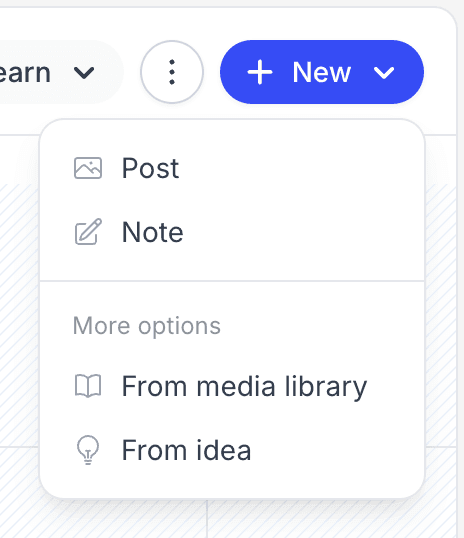
- Click the day you want to post on and choose Post. The same options live under the New button in the header.
- In the composer, pick your profiles, write a caption, and add media.
- Set the time, then schedule the post.
- The post appears on its day in the calendar, and you can drag it to another day whenever plans change.
Switch views and move around
The Pallyy calendar has three views: Month for the big picture, Week for the days ahead, and List for a simple rundown. Move between periods with the previous and next buttons or your left and right arrow keys, and hit Today to jump back to the current date.
Drag posts to reschedule
Rescheduling a post in Pallyy is a drag, literally: pick up any post and drop it on another day. Calendar notes drag the same way, so your reminders move with your plans.
Start posts from the media side panel
Pallyy's calendar includes a media library side panel on large screens, and dragging media from it onto a day starts a new post with that media attached. The panel is resizable, so give it as much room as your screen allows.
Prefer starting from scratch? The New dropdown gives you four ways in:
- Post: a blank post, straight into the composer.
- Note: a colored calendar note for reminders and planning.
- From media library: pick the media first, then build the post around it.
- From idea: turn a saved post idea into a real post.
Either way you'll end up in the composer, and our post composer guide covers what happens next.
Set your timezone and default post time
Pallyy's calendar settings control the timezone and default post time for each social set. Open Settings from the calendar header, then set a Timezone and a Default post time per social set. New posts start at the default time, which saves a lot of clock fiddling.
If you leave the timezone or default post time empty, Pallyy falls back to your account timezone and 09:00.
The header also holds Filters, Share for a shared calendar, Post History, Queue, Import events, Delete events, and a toggle to show or hide weekends. Queue scheduling has its own guide.
Find your best time to post
Pallyy's Best time to post shows a heatmap of when your Instagram audience engages most, right from the calendar header. It needs a connected Instagram account to crunch the numbers, so connect one first if the option looks empty.
Frequently asked questions
Can I change the timezone per social set?
Yes. Pallyy's calendar settings let you set a timezone and default post time for each social set individually. Anything you don't set falls back to your account timezone and 09:00.
How do I reschedule a post?
Drag it. On Pallyy's calendar you drag any scheduled post to a different day and it's rescheduled, no editing required. Notes move the same way.
Does the best time to post work for every platform?
No. Pallyy's best time to post heatmap is built on Instagram engagement, so it needs a connected Instagram account. You can still use its suggestions as a starting point for other platforms.
More in Features
Still need help? Email us at hey@pallyy.com and we'll get back to you.