
Pallyy's AI captions write your caption for you: describe the post, set the tone and length, and insert the result with one click. It's there for the days when the photo's ready but the words aren't.
How to generate a caption
Generating a caption takes under a minute from any caption field:
- Click the Generate with AI sparkles icon next to any caption field, in the post composer or the idea editor.
- Describe the post in Describe your caption idea, like "new product launch, beach vibes".
- Add tone or constraints in What to do, or not do, which is optional but worth filling in.
- Pick a Length and how many Hashtags to append.
- Click Generate caption and the AI writes a draft below the form.
- Click Add caption to drop it into your caption field.
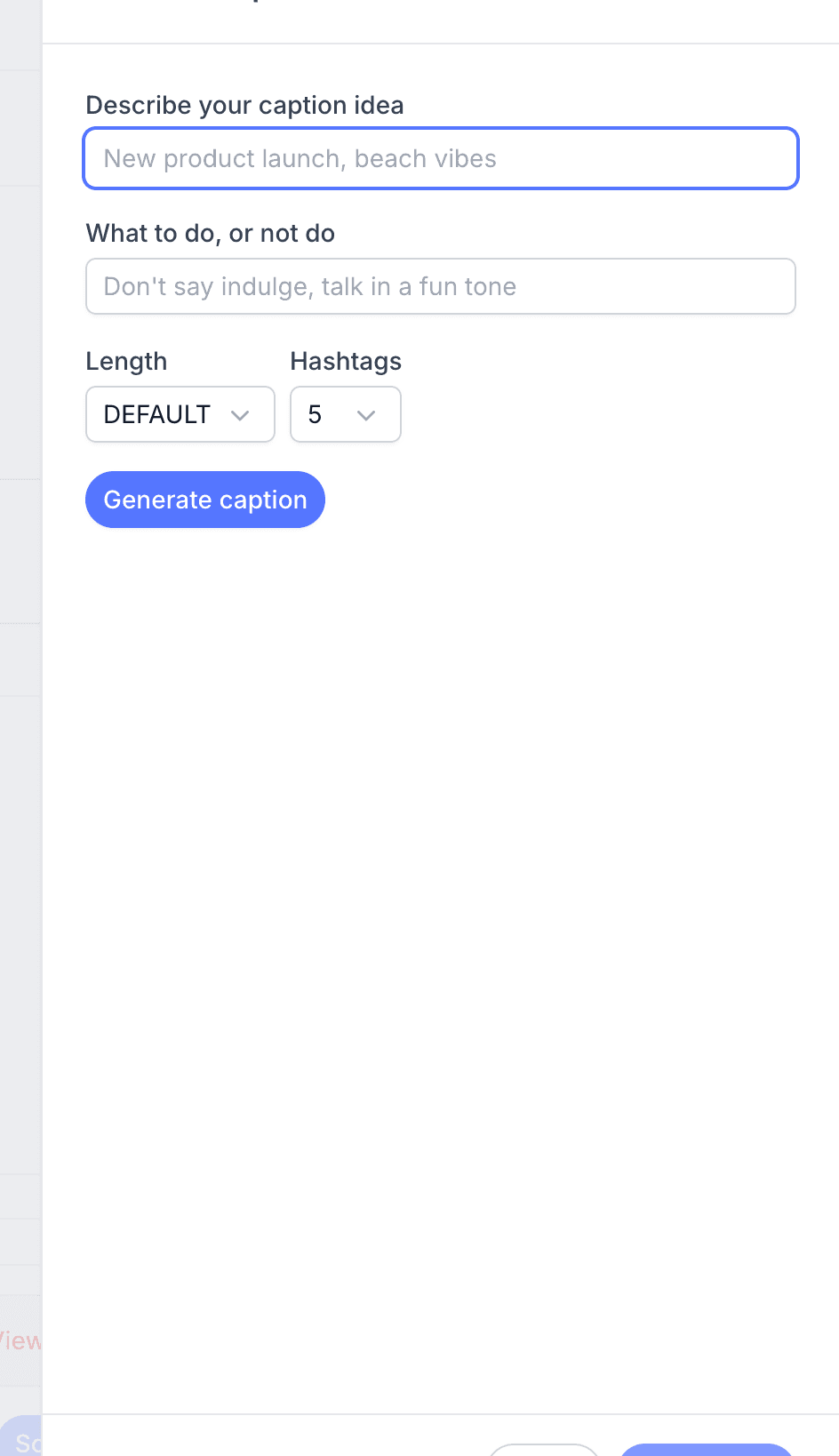
Where to find Generate with AI
Generate with AI opens from any caption field in Pallyy, so it's there wherever you're writing. You'll also find it in the idea editor for drafting ideas before they become posts, and when creating hashtag lists, where the AI can suggest hashtags to build a list from.
Tell the AI what you want
The generator takes a few inputs, and the more specific you are, the better the caption:
- Describe your caption idea: what the post is about. "New autumn menu launching Friday at our Wellington cafe" beats "food post" every time.
- What to do, or not do: tone and constraints, like "keep it playful" or "don't use exclamation marks".
- Length: default, short, medium, or long.
- Hashtags: 0, 5, 10, or 15 appended to the caption.
Treat the do or don't field as your brand voice in a sentence. Something like "casual, first person, no salesy language" keeps every generated caption sounding like you.
Insert the caption into your post
Once the AI generates a caption you like, click Add caption and it drops straight into the field you started from. From there it's normal text, so edit it, trim it, or add your own sign-off before scheduling. The AI gives you a strong draft; the final polish is yours.
Not happy with the result? Tweak your inputs and generate again. A sharper description or a tighter tone instruction usually fixes a flat caption. You can also start from a ready-made line: the Instagram caption library has thousands sorted by theme, and pasting one in doesn't count toward your AI usage.
Usage limits
AI caption generation in Pallyy is metered, so each generation counts toward your usage. It's worth putting a little thought into your inputs rather than regenerating over and over, which also happens to produce better captions.
Frequently asked questions
Which plans include AI captions?
AI captions are available on Pallyy's Pro, Agency, and Scale plans. The Free plan doesn't include them; plan details are on the pricing page.
Can the AI add hashtags to my caption?
Yes. The AI caption generator has a hashtags setting with options for 0, 5, 10, or 15 hashtags, and it can also suggest hashtags when you're creating a hashtag list.
Can I edit a caption after the AI writes it?
Yes. Clicking Add caption inserts the AI's caption into your caption field as ordinary text, so you can edit every word before the post goes out.
More in Features
Still need help? Email us at hey@pallyy.com and we'll get back to you.