
Pallyy's calendar notes let you pin reminders, campaign markers, and key dates to your calendar alongside your scheduled posts. A note is simple on purpose: some text, a date, and a color, so your content plan and its context live in one place.
How to add a note
Adding a note takes a few clicks from the calendar.
- Go to your Calendar > Month.
- Click New in the calendar header and choose Note. Clicking an empty day offers the same options.
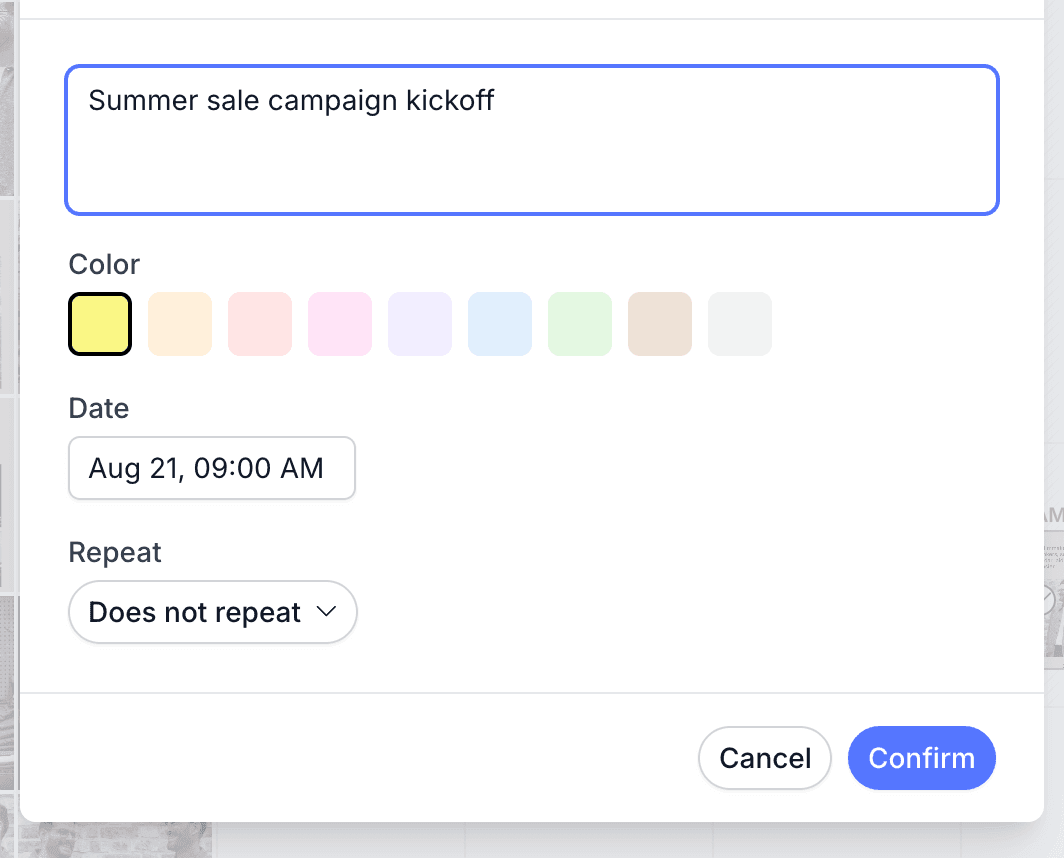
- Type your note text, then pick a Color and set the Date.
- Want it to recur? Choose a daily, weekly, monthly, or yearly pattern under Repeat, then set how many times it runs under Repeat for.
- Click Confirm. The note lands on its day, ready to drag anywhere.
Create and organize notes
You create a Pallyy note from the calendar's New dropdown by choosing Note, then giving it text, a date, and a color. Colors are great for a lightweight system: one color for campaigns, another for deadlines, another for "do not post anything silly today". Notes drag between days just like posts, so plans can shuffle without retyping anything.
Repeat a note
Pallyy notes can repeat every Day, Week, Month, or Year, for anywhere from 2 to 50 occurrences. Perfect for a weekly content theme or a monthly reporting reminder. When you delete or update a repeating note, Pallyy asks how far the change should reach: This note only, This and following, or All.
Repeat notes and imported event notes only allow editing their text and color. To change a repeat's date or pattern, delete the series and create it again with the new settings.
Holidays as event notes
Public holidays can land on your calendar as colored event notes too, imported per country straight from Google Calendar. The whole flow, importing, stacking multiple countries, and cleaning imported events out again, is covered in import holidays and events.
Frequently asked questions
Can I repeat a note forever?
Not quite. Pallyy repeat notes run for 2 to 50 occurrences on a daily, weekly, monthly, or yearly pattern. Fifty years of a yearly note is close enough to forever for most content plans.
Does deleting one repeat note delete the whole series?
Only if you ask it to. When you delete a Pallyy repeat note, you choose This note only, This and following, or All, so a one off change doesn't wipe the series.
Will imported holidays affect my own notes?
No. Imported holiday events live alongside your notes, and removing them via import holidays and events leaves your own notes exactly where they are.
More in Features
Still need help? Email us at hey@pallyy.com and we'll get back to you.