
Pallyy's posts list shows every post in one table, under Publish > Posts. Where the calendar is built for planning, the posts list is built for managing: find any post fast, then act on a whole batch at once.
How to bulk edit posts
Editing a batch of posts takes a filter, a few ticks, and one action.
- Go to your posts list at Publish > Posts.
- Narrow the table first: search, sort, or click the funnel button to open Filter Posts, set your filters, and hit Apply.
- Tick the checkbox on each post you want to change.
- Choose an action from the bar that appears, like Schedule, Set labels, or Delete.
- Confirm, and Pallyy applies the action to every selected post.
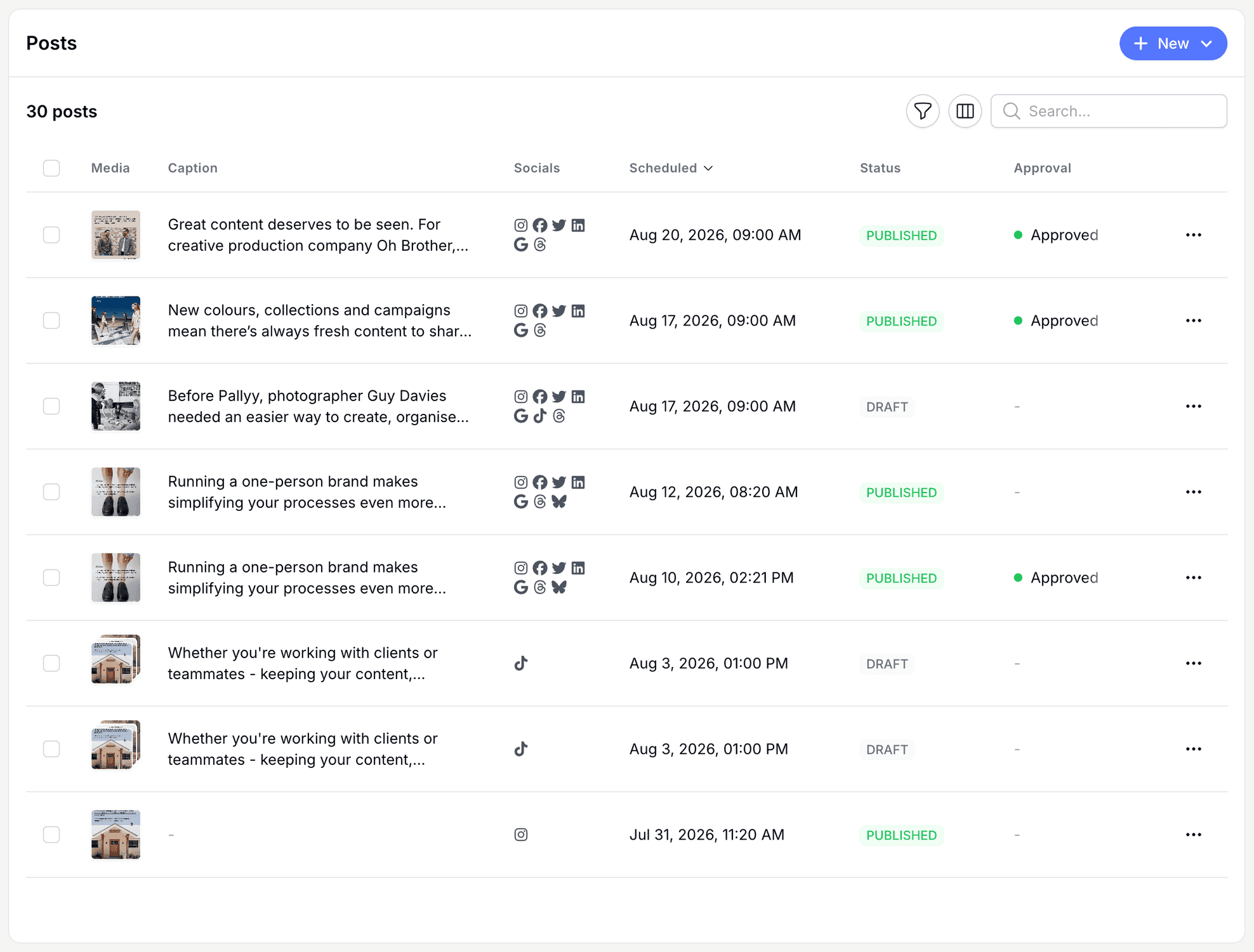
Read the table
The Pallyy posts list gives every post a row with columns for Media, Caption, Socials, Scheduled, Status, Approval, Labels, and Created. Don't need them all? A column visibility toggle hides the ones you don't use. Long lists load more as you go, so nothing gets cut off.
Search, sort, and filter
Finding a post in Pallyy takes seconds: search by what you remember, sort by Scheduled or Created, and filter the rest away. The Filters modal narrows the table by Status, Socials, Approval, and Labels. "Every unapproved draft for this client's Instagram" is a couple of clicks, not a scroll through months of posts.
Every bulk action
Pallyy's posts list runs the same actions on one post or a whole selection, so batch work stops being busywork. Tick the posts you want, or use the row actions on a single post:
- Schedule or Save as draft
- Request internal approval, Approve, or Request changes
- Set labels
- Clone, or Clone to sets to copy posts across social sets
- Delete
Every action asks you to confirm before it runs, so a stray click on fifty selected posts won't ruin your afternoon.
The approval actions pair naturally with the Approval filter: pull up everything awaiting review, approve the good ones, and request changes on the rest in one sitting.
Frequently asked questions
Can I bulk approve posts?
Yes. Pallyy's posts list lets you select multiple posts and Approve them together, or Request changes if they're not ready. Filter by approval status first and review day gets a lot shorter.
What's the difference between Clone and Clone to sets?
Clone duplicates a post within the same social set, while Clone to sets copies it into other social sets you manage. Pallyy keeps both a couple of clicks away in the posts list, for reruns and cross brand posting respectively.
Can I hide columns I don't use?
Yes. Pallyy's posts list has a column visibility toggle, so you can hide columns like Approval or Labels if your workflow doesn't touch them. The data's still there whenever you switch them back on.
More in Features
Still need help? Email us at hey@pallyy.com and we'll get back to you.