
Pallyy's Import events option pulls public holidays and events from Google Calendar onto your calendar as colored event notes, so you plan content around the dates that matter before they sneak up on you. Pick a country, import, done.
How to import holidays
Importing a country's holidays takes under a minute.
- Go to your Calendar > Month.
- Click the three dots button in the calendar header and choose Import events.
- Pick a country under Country. The events Pallyy found appear in a list below.
- Choose a Color for the imported notes.
- Click the import button, which shows how many events it found, and they land on your calendar.
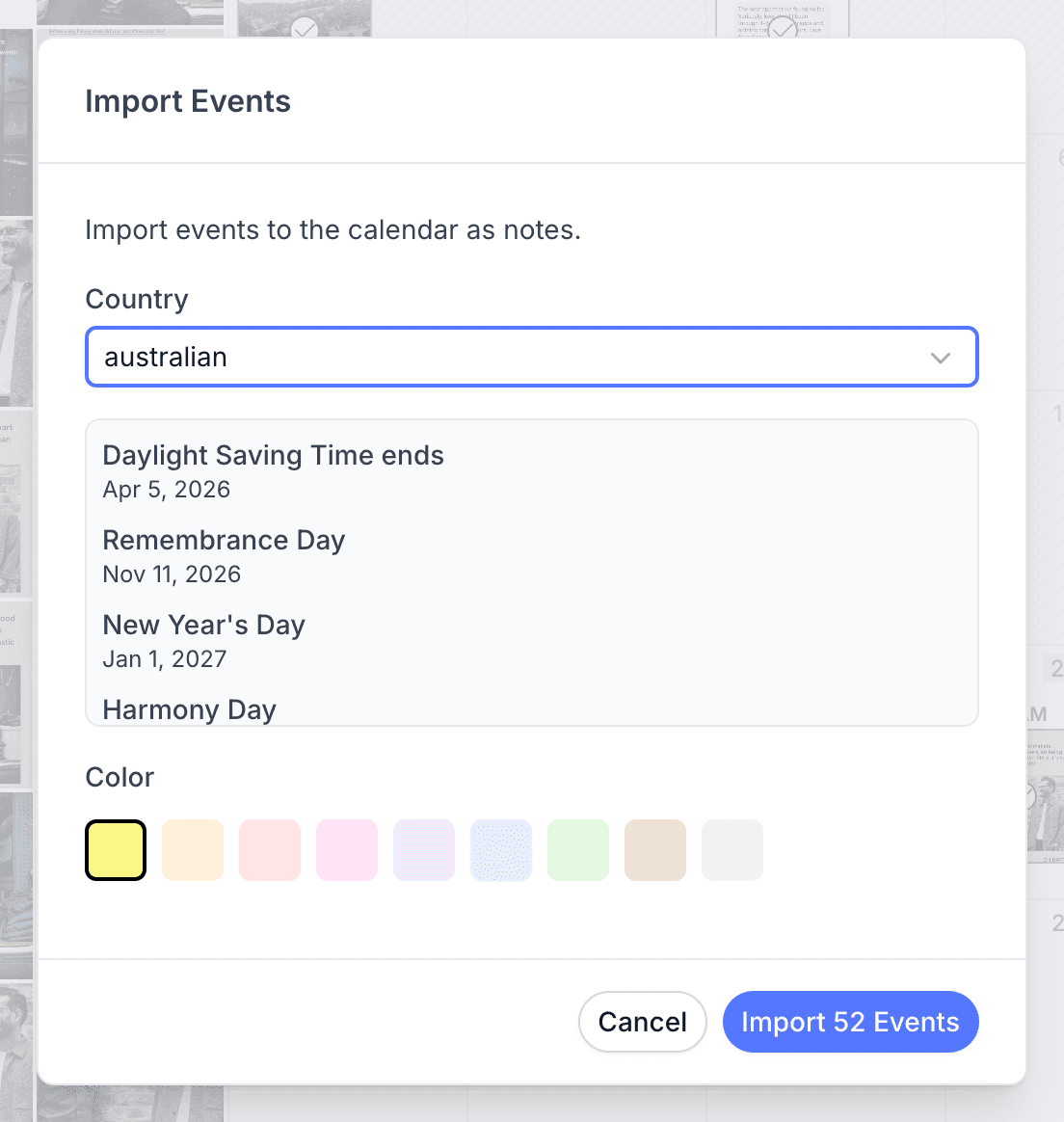
Import events for a country
You import events from the calendar header: open Import events, pick a country, and its public holidays and events appear on your calendar as colored event notes from Google Calendar. That's the whole setup. Christmas, national days, long weekends, they're all sitting on your plan where you can see them while you schedule.
Posting to audiences in more than one country? Run the import once per country and the events stack together on the same calendar.
Edit an imported event
Imported event notes only allow editing their text and color, and that's usually all you need. Rename "New Year's Day" to "New Year giveaway goes live", or recolor every holiday to match your calendar notes system, and the calendar stays yours even when the dates came from Google.
Remove imported events
Pallyy's Delete events option removes every imported event note in one go while your manually created notes stay exactly where they are. Imported the wrong country, or finished the campaign the holidays were guiding? One click and the calendar is clean. If you change your mind later, just import again.
Frequently asked questions
Where do imported events come from?
Google Calendar. Pallyy's Import events pulls each country's public holidays and events from Google Calendar and drops them onto your calendar as colored event notes.
Can I import holidays for more than one country?
Yes. Run Pallyy's Import events once for each country you care about and all the imported events show together on your calendar.
Will Delete events touch my own notes?
No. Pallyy's Delete events only removes imported event notes. Notes you created yourself stay untouched.
More in Features
Still need help? Email us at hey@pallyy.com and we'll get back to you.