
Pallyy's best time to post is an Instagram heatmap showing when your audience actually engages, so you can schedule posts for the hours that earn attention instead of guessing. All it needs is a connected Instagram account, and the data comes from your audience, not a generic industry chart.
How to see your best time to post
The heatmap opens from the calendar header in a few clicks.
- Go to your Calendar > Month.
- Connect an Instagram account if you haven't already; the heatmap is built from your Instagram engagement.
- Click the three dots button in the calendar header and choose Best time to post.
- Scan the heatmap for the hottest cells. Those are the days and hours your audience engages most.
- Use those windows when you schedule posts, or save them as queue slots so every queued post hits a peak.
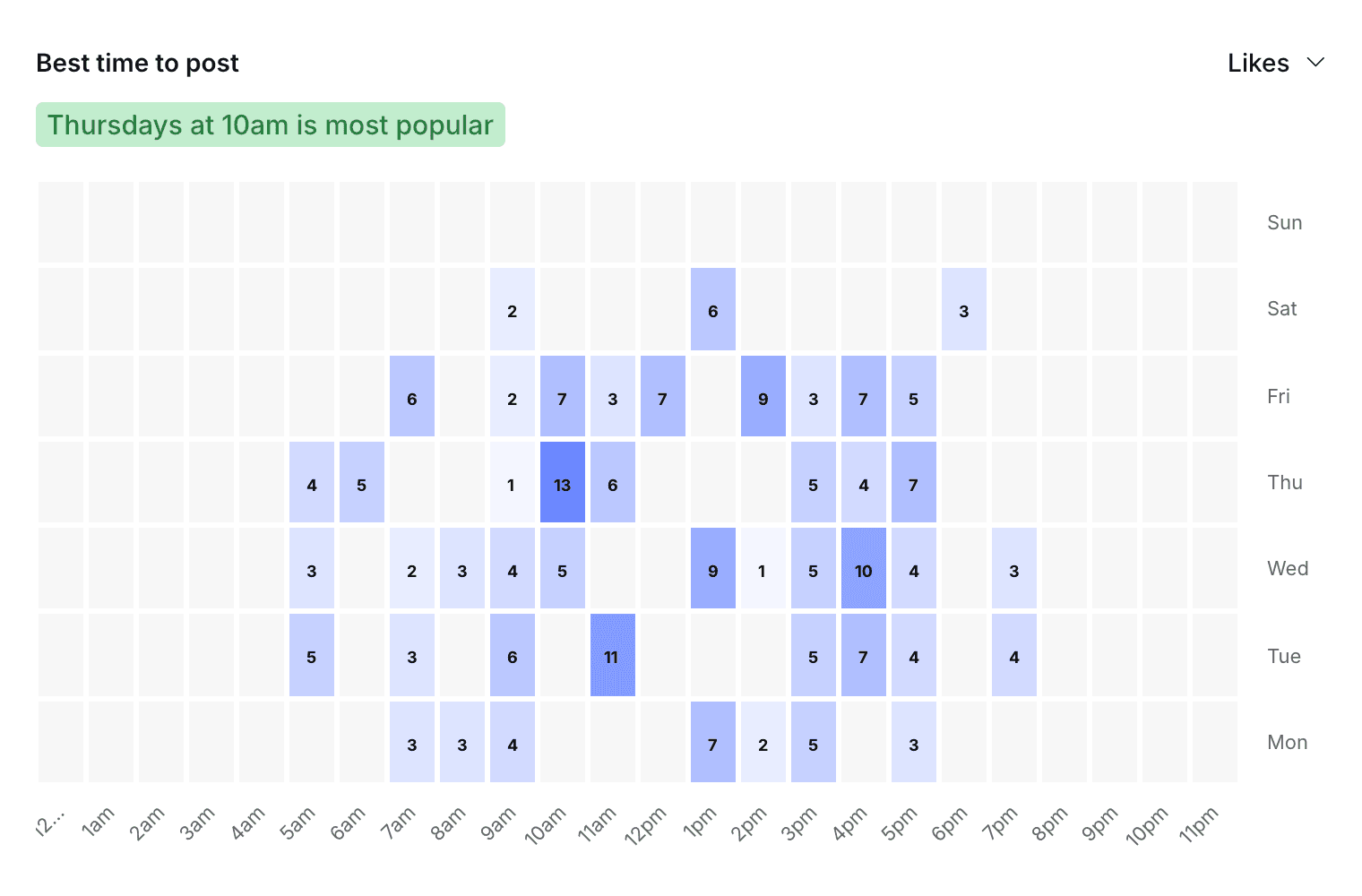
Open the heatmap
The heatmap is one click away from wherever you plan content: open Best time to post from the calendar header or the Instagram grid header. It also appears on the Instagram posts analytics page, so it's right there when you're already reviewing how posts performed. Either way you're looking at the same picture of when your followers show up.
Read the heatmap
The heatmap maps engagement across days and hours, and the hottest cells are your audience's most active windows. A quick scan tells you the story: maybe your followers are all-in on weekday evenings, or maybe Sunday mornings quietly outperform everything else. Those hot spots are where your posts have the best shot at early engagement.
Put the times to work
The best times are only useful once they're in your schedule, and there are two natural places for them. Pick a hot window when you schedule a post in the post composer, or bake the times in permanently by setting up queue scheduling slots that match your audience's peaks.
Align your queue slots with the heatmap and every queued post lands at a proven time without you thinking about it again.
Frequently asked questions
What do I need for best time to post to work?
A connected Instagram account. Pallyy builds the best-times heatmap from your own audience's engagement, so it needs your Instagram data to draw from.
Where do I find the heatmap?
In three places: Best time to post in the calendar header, the same option in the Instagram grid header, and on the Instagram posts analytics page.
How should I use the best times?
Two ways: pick a hot window manually when scheduling a post, or set up queue scheduling slots at your peak times so every queued post lands there automatically.
More in Features
Still need help? Email us at hey@pallyy.com and we'll get back to you.