
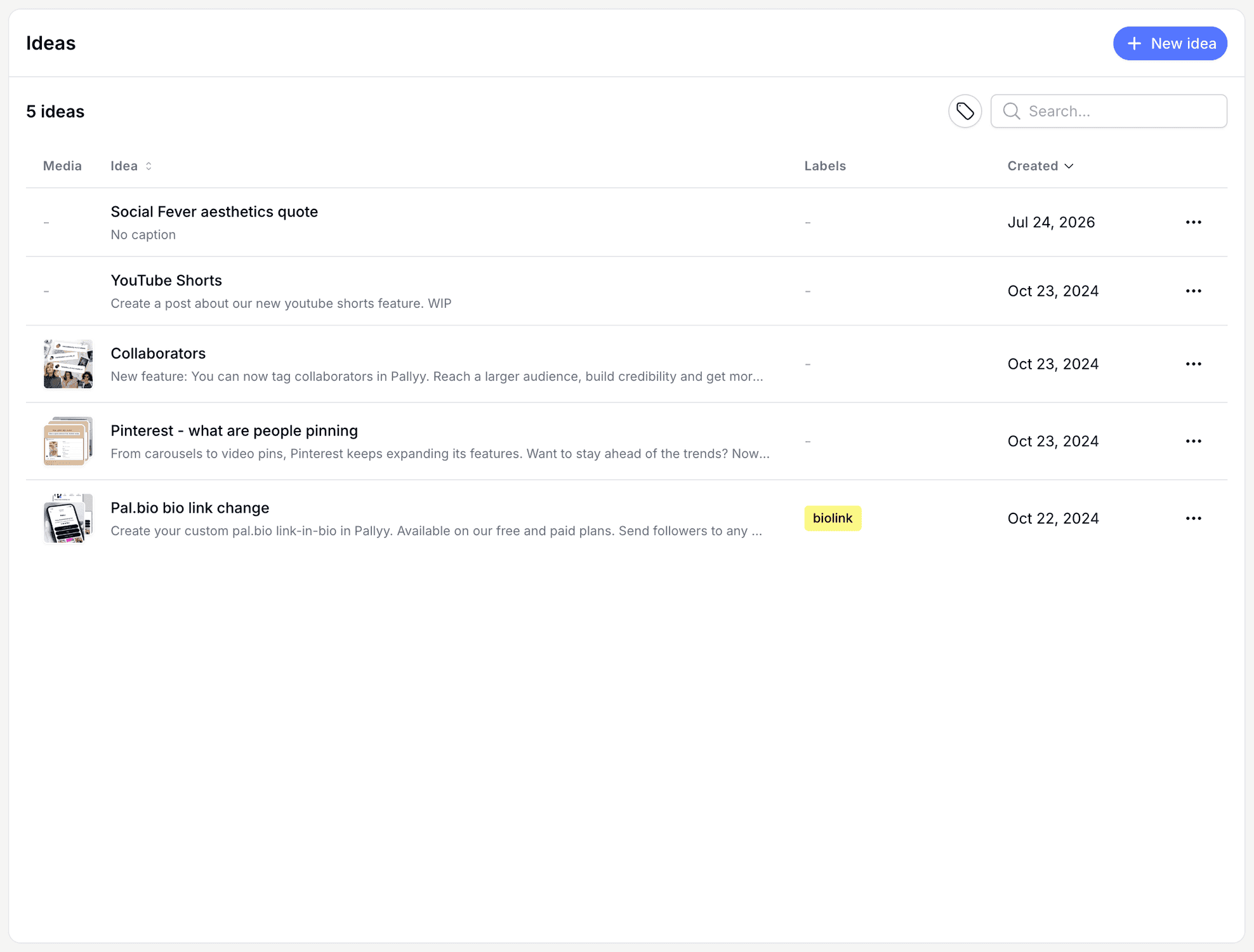
Pallyy's post ideas let you create post ideas that can be used to create new posts when you're ready to publish. Think of it as your content backlog: every half formed thought gets captured now and scheduled later, instead of vanishing into your notes app. You'll find it under Publish > Plan > Ideas.
How to create a post idea
Capturing an idea takes less than a minute, even a rough one.
- Go to your ideas at Publish > Plan > Ideas.
- Click New idea in the header.
- Give the idea a Name, and add a Caption if the words are ready. Generate with AI can write one for you.
- Attach Media and add Labels to keep your backlog organized. Both are optional.
- Click Save. When it's time to publish, open the idea and click Create post.
What an idea holds
A Pallyy post idea holds a name, a caption, media, and labels, so an idea can be as rough or as finished as you like. The caption editor includes Generate with AI for the days when the concept is clear but the words won't come. Some ideas start as just a name, others arrive fully written with media attached, and both are fine. The point is getting them out of your head.
Organize with search and labels
Pallyy keeps your ideas in a table with search and label filters, so a big backlog stays findable. Label ideas by campaign, content pillar, or client, then filter down to exactly what you need. Managing multiple brands? Bulk select ideas and Clone to sets to copy them across your social sets.
Turn an idea into a post
Creating a post from a Pallyy idea works from either direction: start from the idea itself, or from the calendar's New dropdown with From idea. The idea's caption and media flow straight into the composer, and you finish the post the way you always do, with a schedule time and any platform tweaks.
You can also apply an idea to a post you've already started.
Applying an idea to an existing post overwrites that post's media and captions with the idea's content. Anything you'd written in the post is replaced, so apply ideas before you start fine tuning.
Frequently asked questions
Which plans include post ideas?
Pallyy's post ideas are available on Pro, Agency, and Scale. On the Free plan, you'll need to keep the backlog somewhere else until you upgrade.
Does using an idea delete it?
No. Creating a post from a Pallyy idea leaves the idea in your table, so an evergreen concept can become a post as many times as you like.
Can I share ideas across my social sets?
Yes. Pallyy's ideas table lets you bulk select ideas and Clone to sets, which copies them to your other social sets. Handy when one concept works for several brands or clients.
More in Features
Still need help? Email us at hey@pallyy.com and we'll get back to you.