
Post history is the complete timeline of everything that's happened to a Pallyy post: when it was created, plus every status change, approval change, date change, content change, and comment along the way. Each entry also shows where it came from, the app or the shared calendar, so you always know who did what and from where.
How to view a post's history
Post history is two clicks away wherever you're working.
- Open the post in the composer.
- Click More Options and choose Post History.
- The timeline appears with every event and comment, newest activity included.
- From the calendar, you can also click the three dot menu in the header and choose Post History to review activity while scanning the schedule.
- Add a comment from the timeline, and switch on its internal toggle if it's not for client eyes.
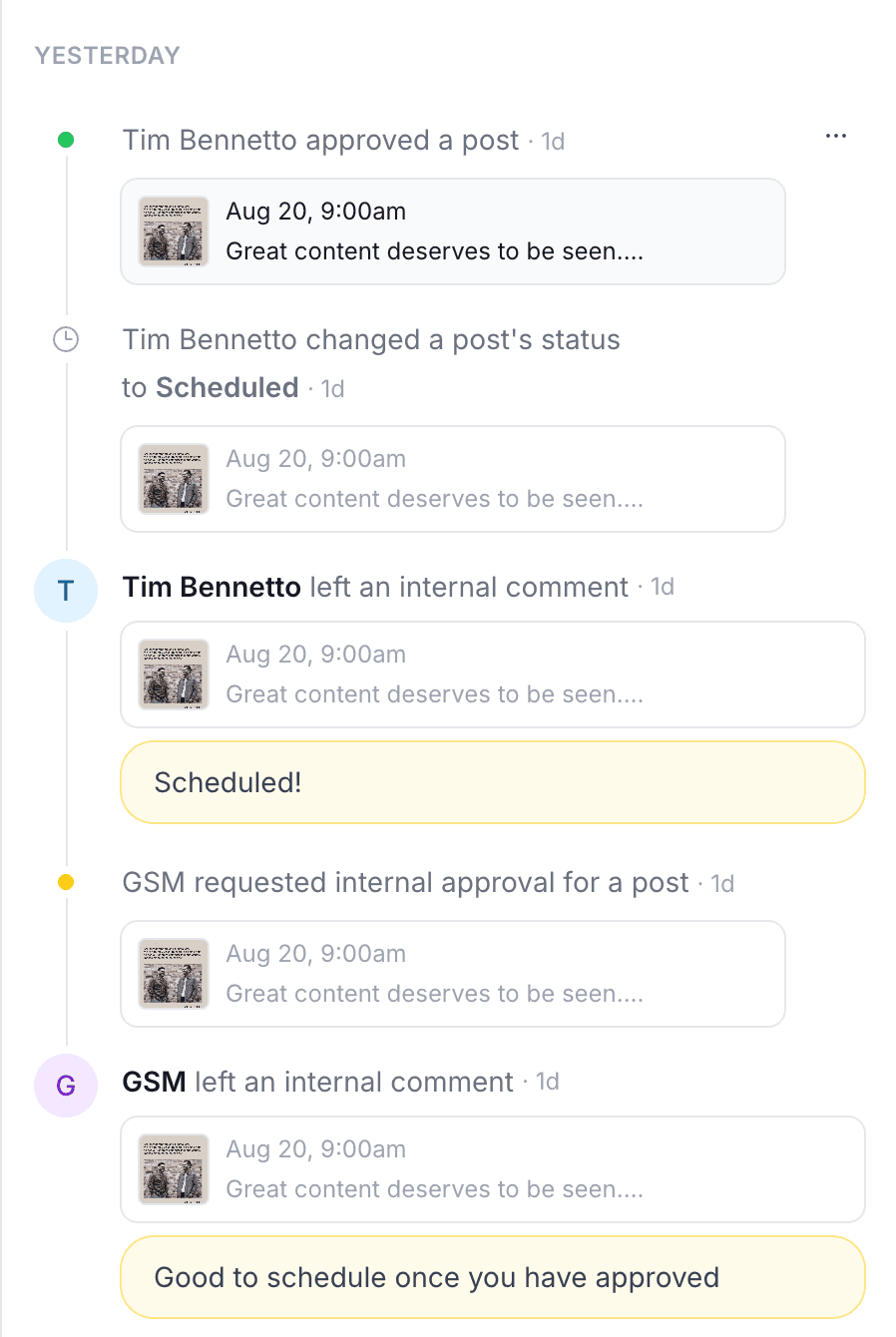
What the timeline tracks
The timeline records every event in a post's life: creation, status changes, approvals changes, date changes, content changes, and comments. That makes it the answer to questions like "who moved this to Thursday?" and "when did the client sign off?". No detective work, no digging through messages, just scroll the timeline and read what happened, with each entry labeled as coming from the app or from the shared calendar.
Comments and internal-only notes
Comments in post history are threaded, so replies stay attached to the point they answer, and you can edit or delete them as the conversation evolves. Every comment triggers notifications for your team, so feedback lands in front of the right people instead of waiting to be discovered.
Each comment has an Internal only toggle that hides it from shared-calendar reviewers, so your team can talk freely about a post while clients see only the comments meant for them.
Frequently asked questions
What does post history record?
Everything that happens to a post: creation, status changes, approval changes, date changes, content changes, and comments, with each entry showing whether it came from the app or the shared calendar.
Can clients see all the comments?
Not the internal ones. Comments with the Internal only toggle switched on are hidden from shared-calendar reviewers, so team discussion stays private while client-facing comments stay visible.
Does my team know when someone comments?
Yes. Comments in Pallyy's post history trigger notifications for your team, so new feedback gets seen instead of sitting unread in a timeline.
More in Features
Still need help? Email us at hey@pallyy.com and we'll get back to you.