
Pallyy teams give other people access to your social sets without anyone sharing a login. You create a team, put social sets in it, and invite people by email, and those sets appear in their own Pallyy account ready to work on.
Agencies usually run one team per client, so access maps cleanly to social sets; the agencies page shows that setup end to end.
Set up a team
You set up a Pallyy team in Settings > Teams, and it takes three steps.
- Create a team.
- Open it and add the social sets your teammates should see.
- Invite members by entering their email addresses.
Your teammate then signs in to their own Pallyy account and finds the sets you shared listed as Team Social Sets.
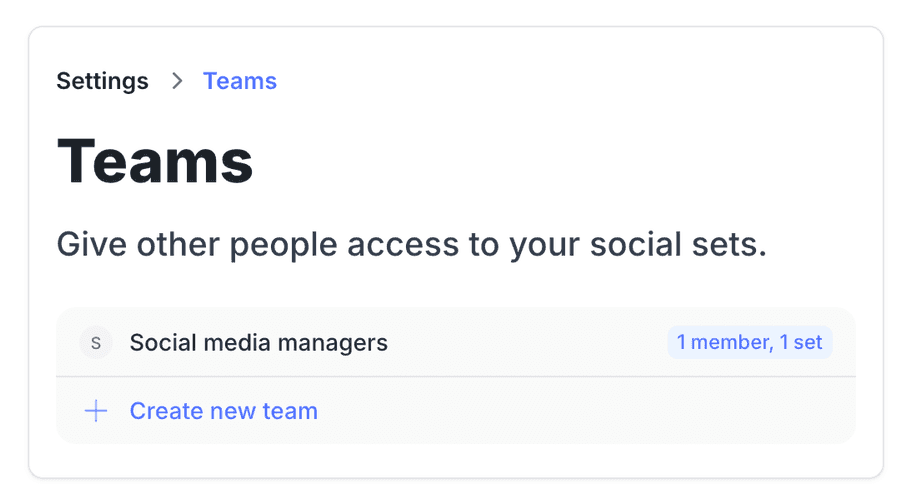
Two gotchas cause almost every "my teammate can't see anything" email we get. First, your teammate needs their own Pallyy account under the exact email you invited, and a free account is fine. Second, the team needs social sets added to it: an invite to a team with no sets shares nothing.
How access works
Pallyy team access is per social set: everyone in a team gets access to the sets in that team, and there are no roles or granular permissions beyond that. If someone should only see certain clients, put those clients' sets in a team of their own and invite them there.
Billing and plan limits stay with the account that owns the subscription. Teammates working in your team see banners pointing them to their team admin for anything billing or limit related, so they can't change your plan by accident.
Team seats by plan
Pallyy team seats come from your plan: Agency includes 3 team users and Scale includes 10. On Agency you can add up to 7 extra users as an add-on at $10/mo or $120/yr each. On Scale, add-ons use custom pricing, so just get in touch.
Frequently asked questions
Can I have more than one admin?
No. Pallyy teams don't have roles or permission levels, so there's no admin role to hand out. The account that owns the subscription manages the team and billing, and everyone else gets access to social sets through team membership. Within a shared set, teammates can work on content just like you can.
Does my teammate need a paid Pallyy plan?
No. Your teammate just needs a Pallyy account under the exact email you invited, and a free account works. Your plan covers the team seats.
How do I give someone access to only one client?
Put that client's social set in its own Pallyy team and invite them to that team only. Access is always per social set through team membership, so a teammate sees exactly the sets in the teams they belong to, nothing more.
More in Features
Still need help? Email us at hey@pallyy.com and we'll get back to you.