
Getting started with Pallyy takes three steps: create a free account, connect a social account, and schedule your first post. The whole thing fits comfortably inside a coffee break, and this guide walks you through each step in order.
How to create your account
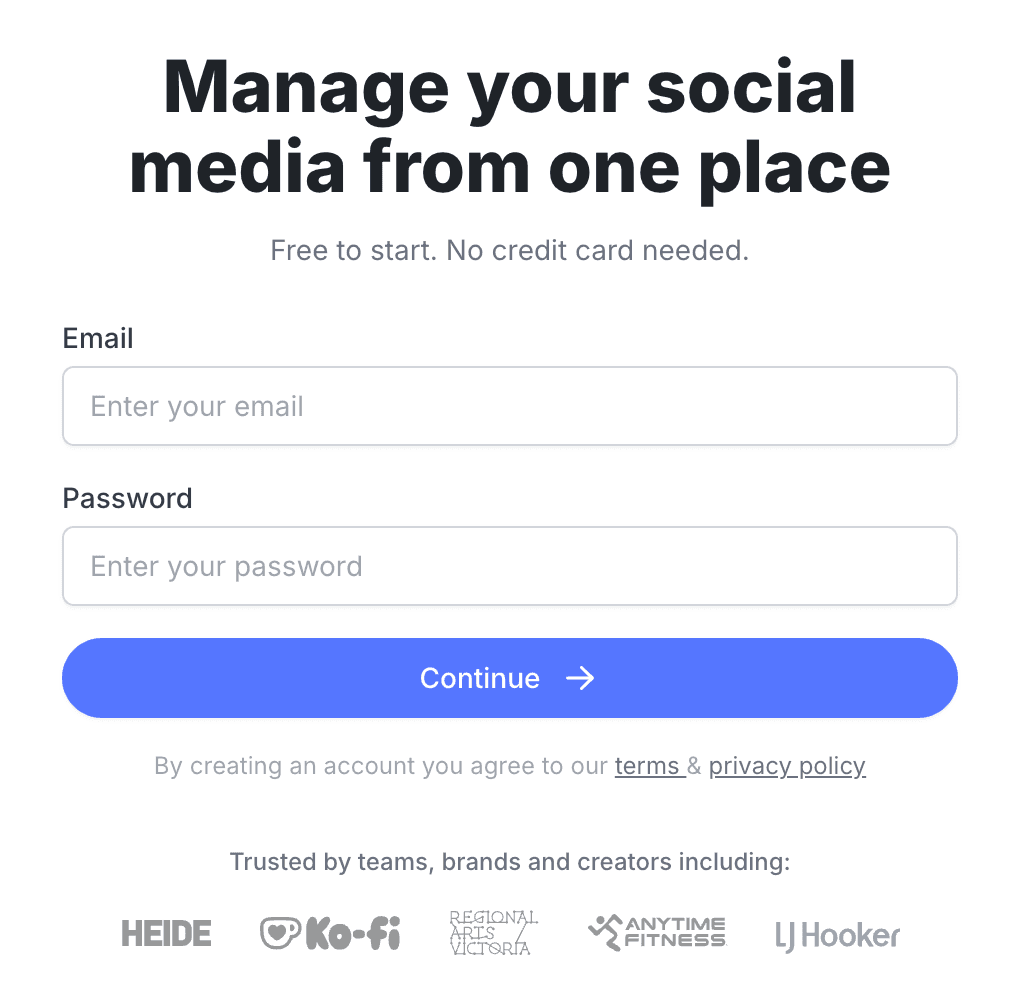
You create a Pallyy account on the sign up page with just an email address and a password. It's free to start, and there's no credit card and no email verification step in your way.
- Go to the sign up page.
- Enter your email address and a password of at least 8 characters.
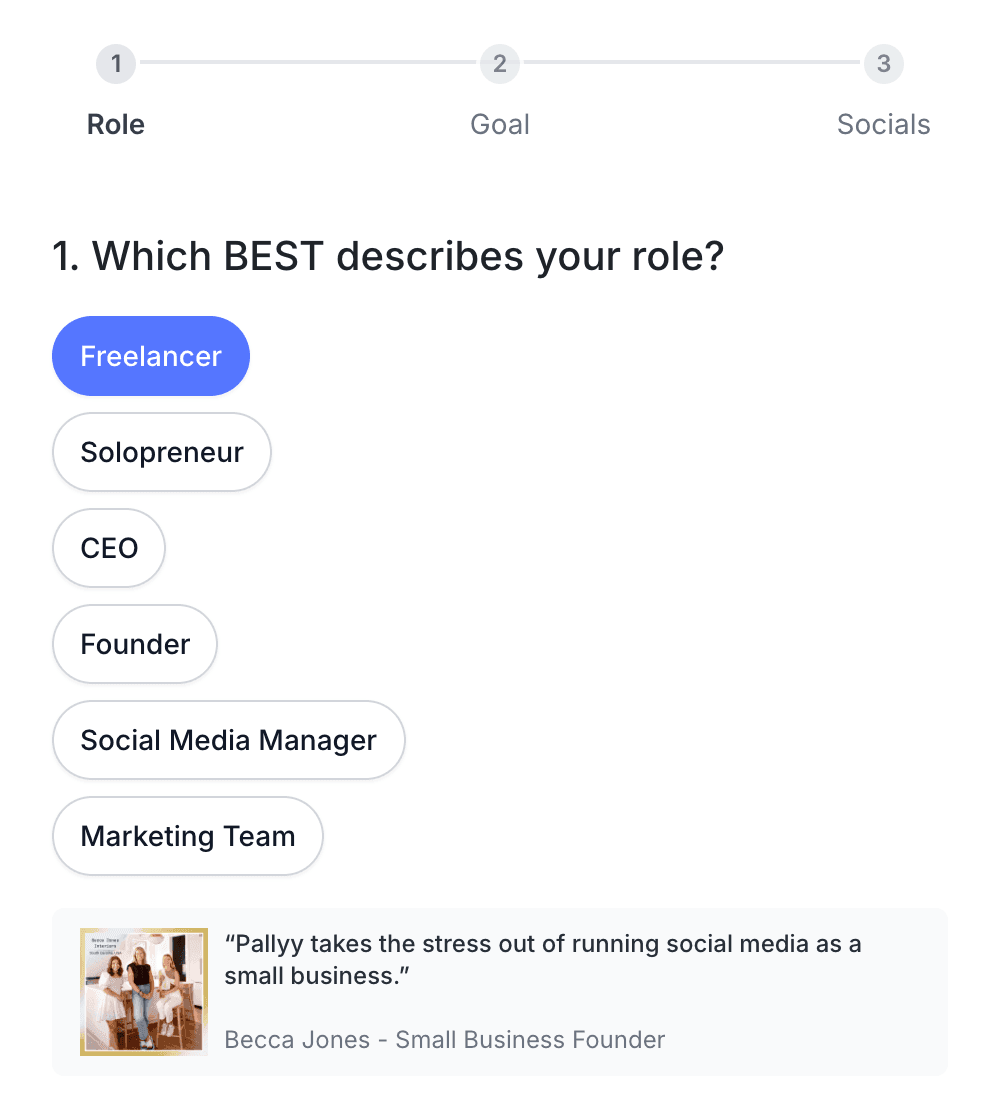
- Answer the two quick onboarding questions about your role and your goal.
- Connect your first social account when the onboarding asks, or skip it and connect later.
The onboarding questions look like this, one screen for your role and one for your goal, and your answers just help Pallyy point you in the right direction:
Pallyy detects your timezone from your browser automatically, and your first social set is created for you at signup. It shows up under the handle of your first connected account, or as "Untitled Social Set" until you connect one.
Connect your first social account
Pallyy needs at least one connected social account before anything works, which is why connecting is the last onboarding step. If you skip it, you'll land on the calendar with an empty state and a Connect an account button waiting for you.
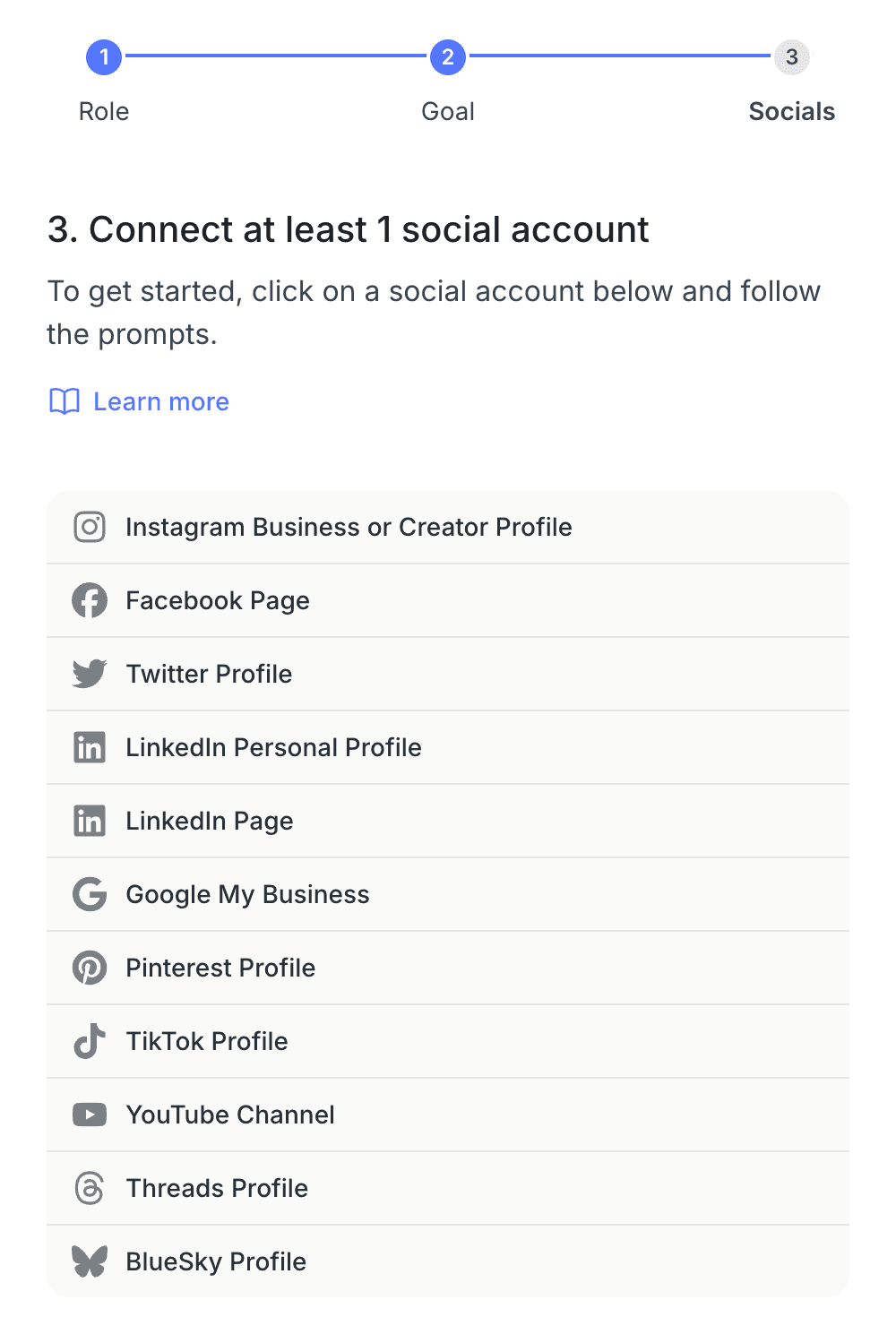
The onboarding only runs once, so after that you connect accounts from Settings > Social Sets. Our guide to connecting your social accounts covers every platform, including which Instagram login type to pick.
Schedule your first post
Posts in Pallyy are scheduled from the calendar, which lives at Calendar > Month and is where you land after onboarding. Click New > Post, add media and a caption, pick a time, and you're published, or rather, you will be at the time you picked.
The full walkthrough is in schedule your first post, and the post composer guide goes deeper on captions, previews, and per-network tailoring.
What the free plan includes
Pallyy's free plan gives you 1 user, 1 social set, 1 connected social account, and 15 scheduled posts per month, which is plenty of room to see if Pallyy fits. Here's the full picture:
- Posts: 15 scheduled posts per month.
- Media: images only, up to 10 files at 10 MB each, with 200 MB of storage.
- Analytics: the last 30 days.
Videos, carousels, the queue, approvals, link in bio, the inbox, and AI captions all live on paid plans.
The banner in your dashboard offers a free 14 day trial of Pro, and the same free trial is available on any paid plan with no charges for 14 days. The Pallyy Free article has the complete free plan breakdown.
Joining someone else's account?
Pallyy teams share the owner's social sets with invited members, so if a colleague or client invited you, your setup looks a little different: their sets are shared with you instead of you connecting accounts yourself. The joining a team guide covers accepting the invite and finding the shared sets.
Frequently asked questions
Do I need a credit card to sign up?
No. Pallyy's free plan needs no credit card at all. The 14 day free trial of a paid plan does ask for card details, but nothing is charged until the trial ends, and cancelling before then costs nothing.
Can I skip connecting an account during onboarding?
Yes. You can skip the connect step and land straight on the calendar, but nothing works until an account is connected. When you're ready, connect from Settings > Social Sets.
Do I need to verify my email address?
No. Pallyy has no email verification step, so you're in the app the moment you sign up. Just make sure the email is one you control, since invites and notifications go there.
What's a social set?
A social set is the group of social accounts for one person, brand, or business, and your first one is created automatically at signup. Social sets explained covers renaming, switching, and billing.
More in Get started
Still need help? Email us at hey@pallyy.com and we'll get back to you.