
Your first Pallyy post starts on the calendar: click New > Post, add media and a caption, pick a time, and click Schedule. Pallyy publishes it automatically at that time, no reminders and no finishing the post on your phone.
Before you start, make sure you've connected a social account, because the composer has nowhere to send a post without one.
How to schedule a post
Scheduling a post takes about a minute once you know where things live.
- Open Calendar > Month.
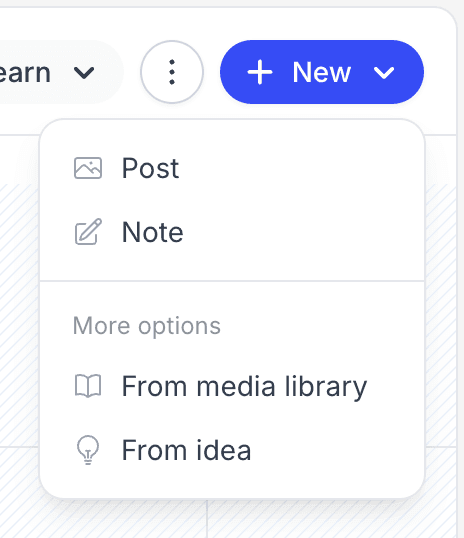
- Click New > Post, or just click the day you want to post on.
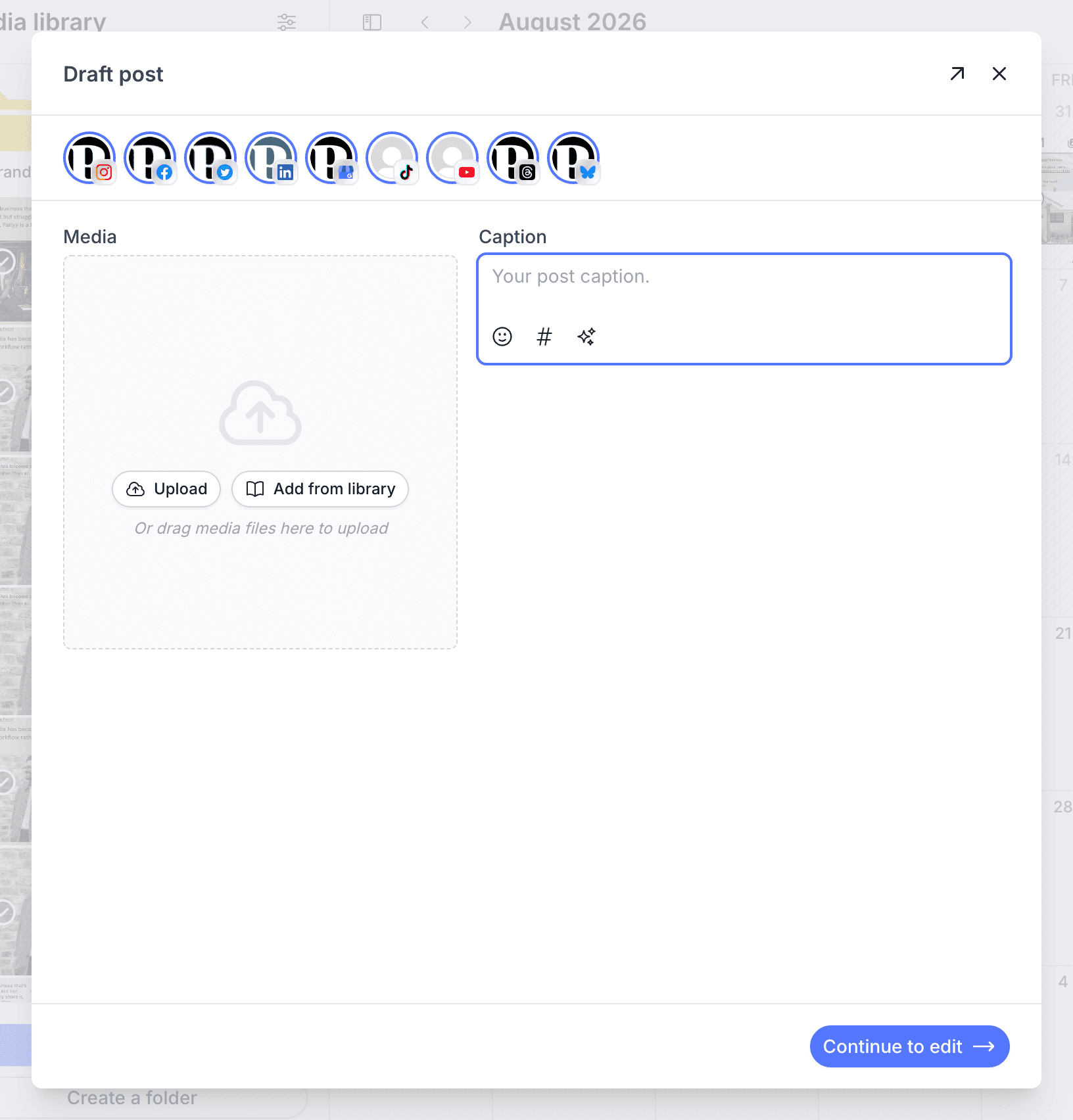
- In the quick draft card, add your media and write a caption (if you're stuck for words, the Instagram caption library has ready-made lines to start from).
- Click Continue to edit to open the full composer.
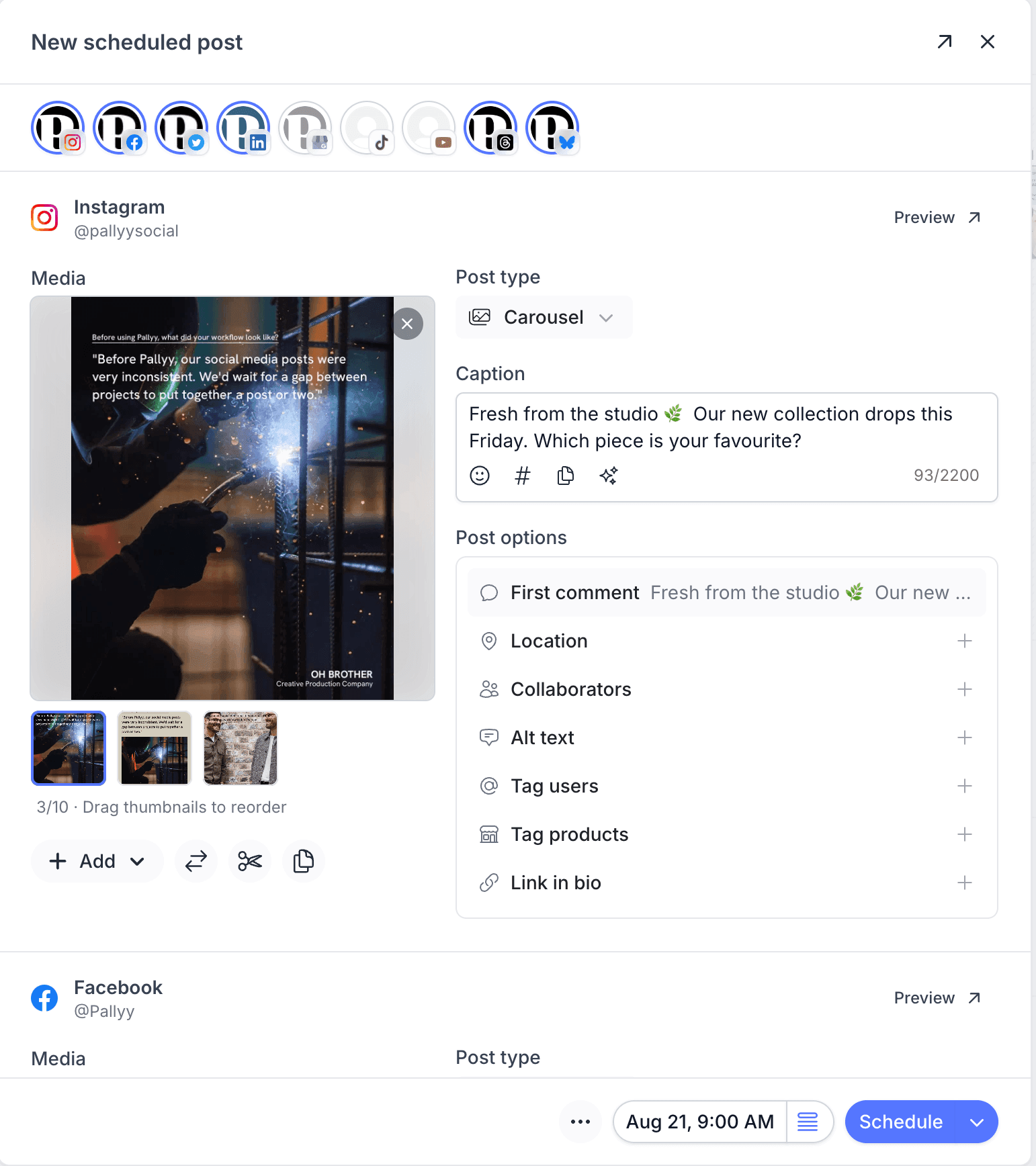
- Pick which connected accounts the post goes to, and tweak the caption per network if you like.
- Set the post type for each network, like feed post, carousel, or Reel for Instagram.
- Pick the date and time in the schedule bar, then click Schedule.
The post appears on its day in the calendar, and you can drag it to another day whenever plans change. The post composer guide covers everything the composer can do, from previews to first comments.
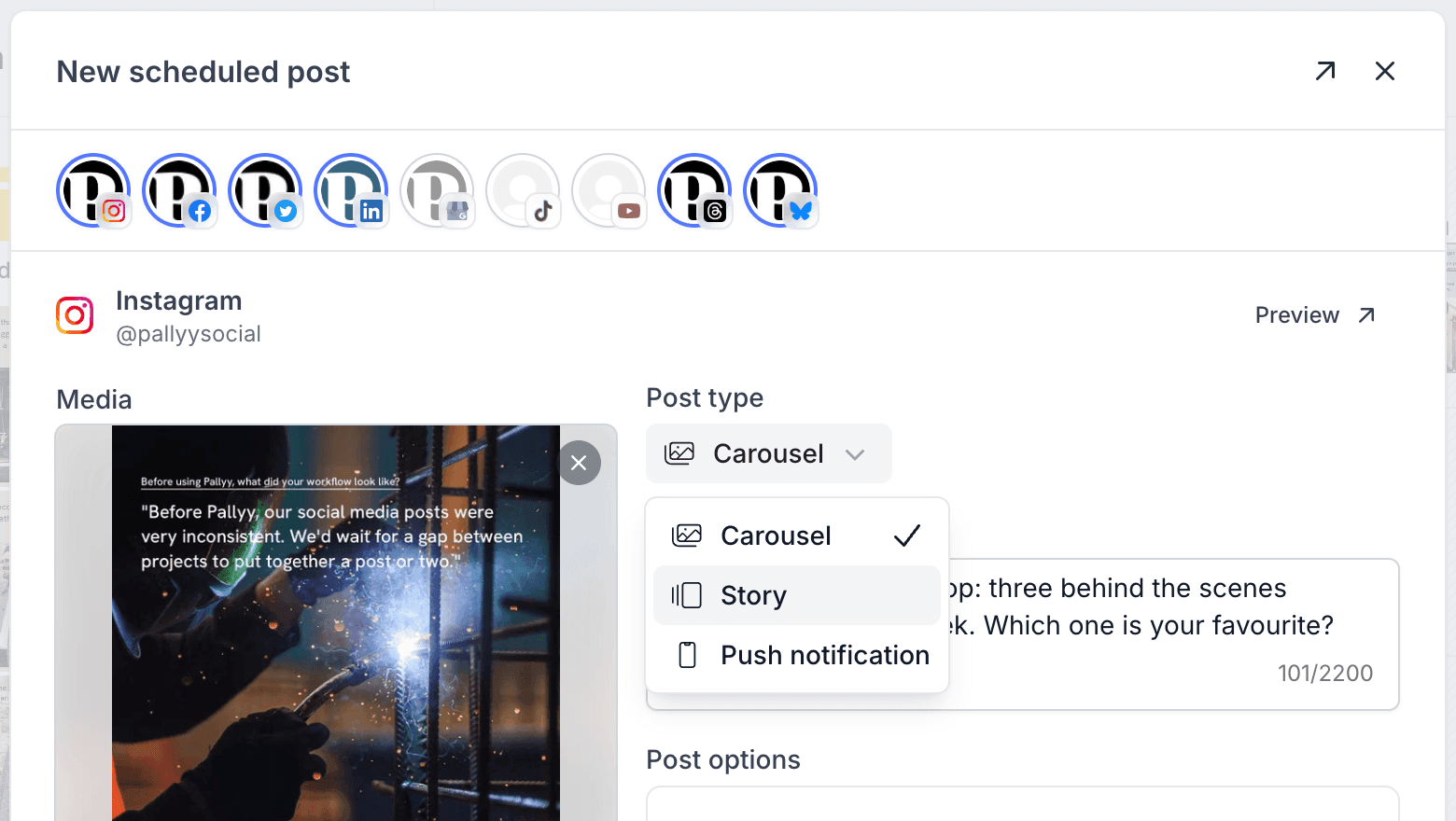
Pick a post type per network
Each network in the composer gets its own post type, and Instagram's dropdown is where the formats hide: Carousel, Story, Reel, and more all live there. That dropdown answers the question new users ask most, "where do I schedule a Story?", and our schedule stories guide picks it up from there.
Not ready to schedule? Save a draft
Pallyy saves unfinished posts as drafts, so you can close the composer without losing your work. Drafts sit on the calendar until you're ready to finish them, and the drafts guide explains how they work.
How many posts you can schedule
Pallyy's free plan includes 15 scheduled posts per month, and the navigation shows "posts left this month" so you always know where you stand. The counter resets monthly, and paid plans raise or remove the limit entirely.
The free plan publishes images only, so videos and carousels need a paid plan. See Pallyy Free for the full limits, or start a 14 day free trial of any paid plan to test everything.
Frequently asked questions
Where do I schedule an Instagram Story?
Stories live in the Instagram post type dropdown inside the composer, alongside Carousel and Reel. Pick Story there and schedule as normal, and Pallyy auto-publishes it at the scheduled time. The schedule stories guide has the full walkthrough.
Can I post to multiple networks at once?
Yes. The composer sends one post to every account you select, and each network gets its own caption and post type that you can tailor individually. You write once and tweak per platform, rather than rebuilding the post five times.
What happens when I hit the 15 post limit?
The free plan stops at 15 scheduled posts per month, and the counter in the navigation warns you as you get close. Your existing scheduled posts still publish, and the limit resets at the start of the next month. Paid plans lift the cap, as covered in the Pallyy Free article.
How do I reschedule a post?
Drag it. On the calendar you drag any scheduled post to a different day and it's rescheduled, or open the post to change the exact time.
More in Get started
Still need help? Email us at hey@pallyy.com and we'll get back to you.