
Pallyy schedules a first comment on your Instagram posts: you write it in the post composer, and it publishes through the official API right after the post goes live. It's the popular spot for hashtags, keeping your caption clean while the hashtags still do their job.
How to add a first comment
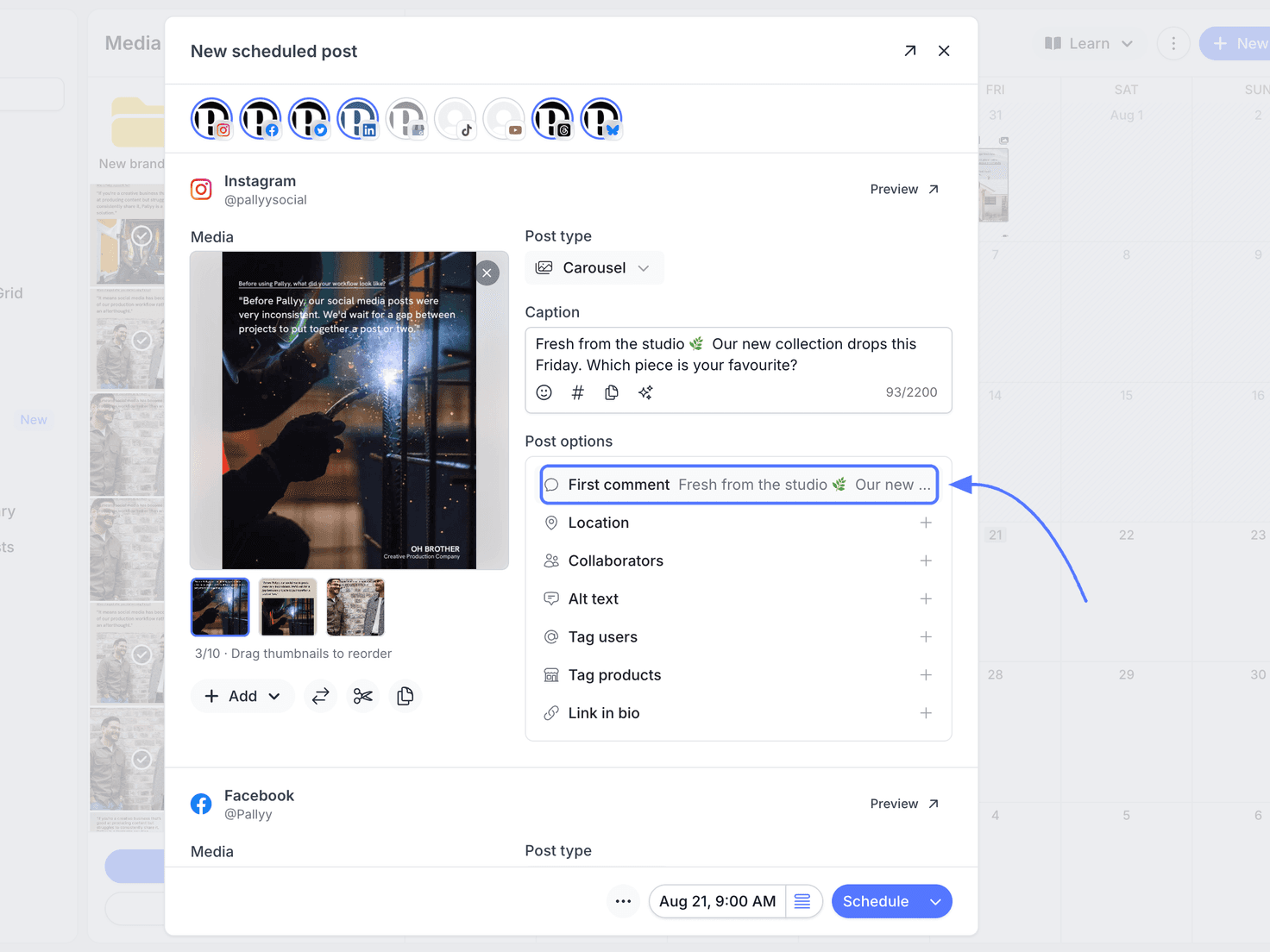
The first comment is written in the post composer, right alongside the caption:
- Create or open a post from Calendar > Month.
- In the composer, go to the Instagram card and find Post options.
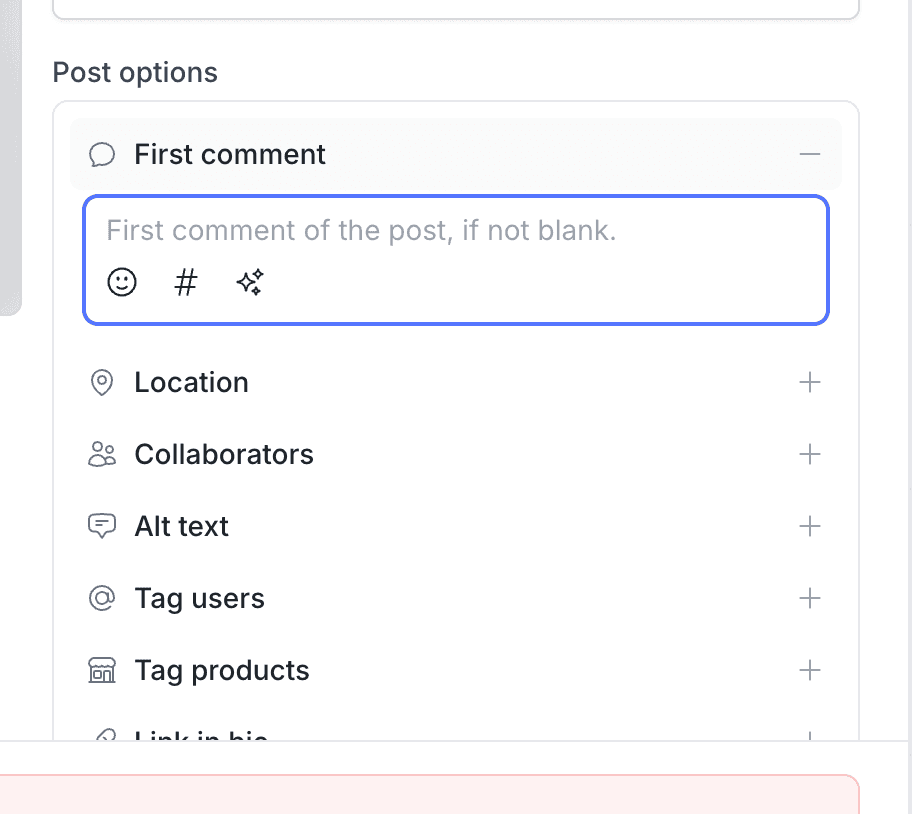
- Click First comment, and the row expands into a text field.
- Type your comment, hashtags included if that's where you want them.
- Schedule the post as normal. The comment is saved as part of the post and publishes right after it goes live.
When the first comment publishes
Your first comment publishes right after the post goes live, through the official Instagram API. You don't need to be online, and there's no separate schedule to manage. The post publishes, then the comment lands directly under it as the first reply.
Why put hashtags in the first comment
Hashtags work the same from the first comment as they do from the caption, which is exactly why it's such a popular spot for them.
Put your hashtags in the first comment: your caption stays readable, your post still surfaces for the hashtags you've chosen, and followers scrolling their feed see your words instead of a wall of tags.
Frequently asked questions
Does the first comment publish automatically?
Yes. Pallyy publishes your Instagram first comment through the official API right after the post goes live, with no reminder or manual step.
Do hashtags in the first comment still work?
Yes. Instagram treats hashtags in the first comment like hashtags in the caption, which is why the first comment is the popular place to put them.
When do I write the first comment?
You write the first comment with the post itself, in Pallyy's composer. It's saved as part of the scheduled post and publishes right after the post does.
More in Features
Still need help? Email us at hey@pallyy.com and we'll get back to you.