
Pallyy tags other Instagram accounts directly on your image and carousel posts, from Tag users under the composer's post options. The tags publish with the post, so the accounts you tag are on the photo from the moment it goes live, no phone edits needed.
How to tag users
User tags are placed on the image itself, from the Instagram card in the post composer:
- Create or open a post from Calendar > Month.
- On the Instagram card, under Post options, click Tag users.
- Click on the image where you want the tag and enter the account's username. Clicking an existing tag removes it.
- On a carousel, use the thumbnails under the image to switch between images and tag each one.
- Click Save. The tags publish with the post automatically.
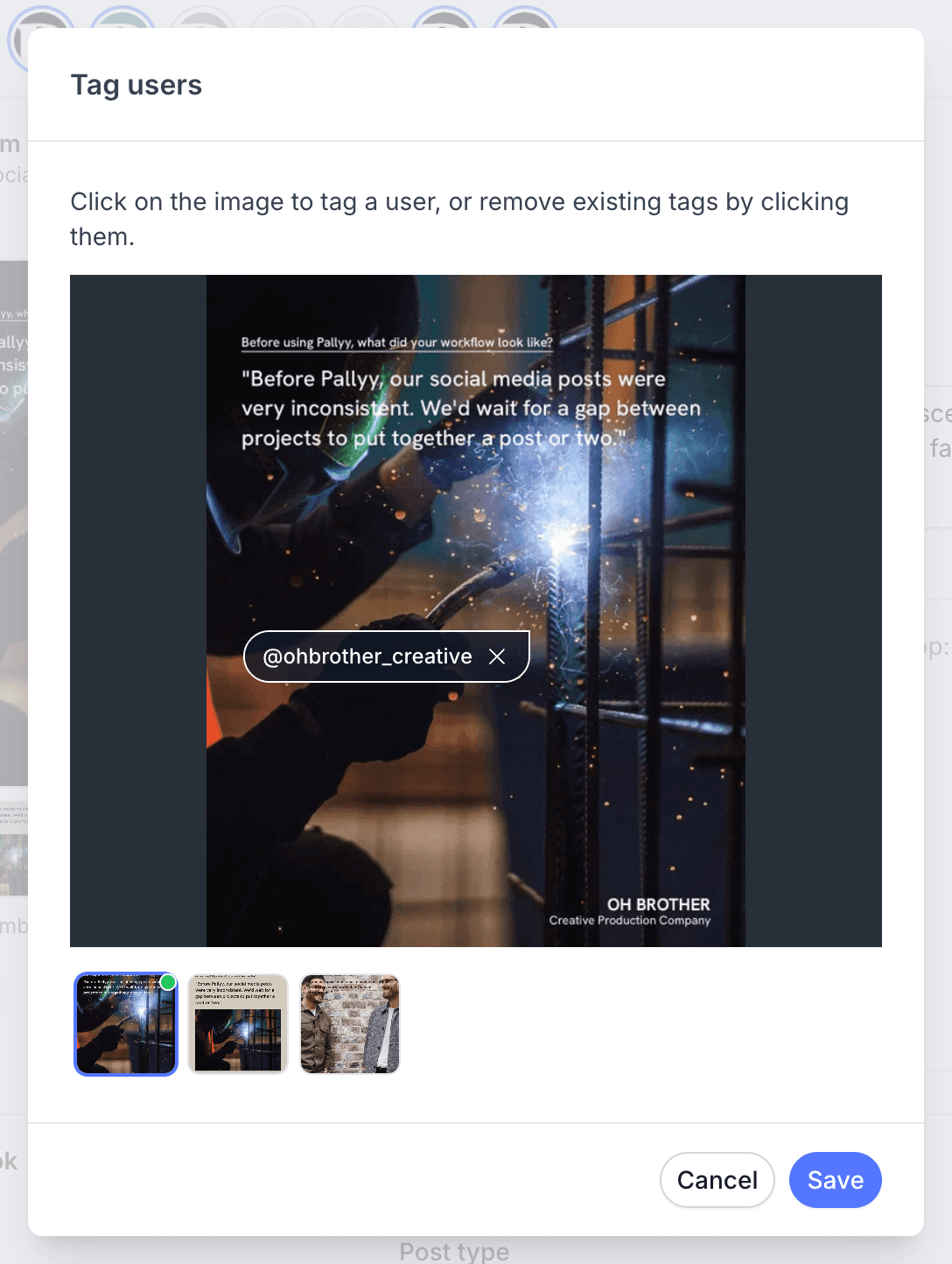
Which posts support user tags
User tagging works on image and carousel posts. That covers the classic photo tag people expect on Instagram: an account tagged on the picture, visible when someone taps the post.
If you're trying to feature another account more prominently, Instagram collaborators is the other option: a collab invite that puts the post on both profiles.
User tags vs mentions
A user tag lives on the media, while a mention lives in the text. Typing @username in your caption or first comment mentions the account in the words of the post. Tagging through the tag action pins the account to the image itself.
Both a tag and a mention notify the account, but only the tag shows up when viewers tap the photo.
Frequently asked questions
Do the tags publish automatically?
Yes. User tags you add in Pallyy publish with the post, so there's nothing to finish in the Instagram app afterwards.
Can I tag users on a carousel?
Yes. Pallyy's user tagging works on image and carousel posts, from Tag users under the composer's post options.
Is tagging a user the same as adding a collaborator?
No. A user tag pins an account to your photo, while an Instagram collaborator shares the whole post, appearing on both profiles once they accept the invite.
More in Features
Still need help? Email us at hey@pallyy.com and we'll get back to you.