
Pallyy adds a location to your scheduled Instagram posts, so the place tag publishes with the post just like it would from the Instagram app. Pick the location in the post composer, and it goes live with everything else.
How to add a location
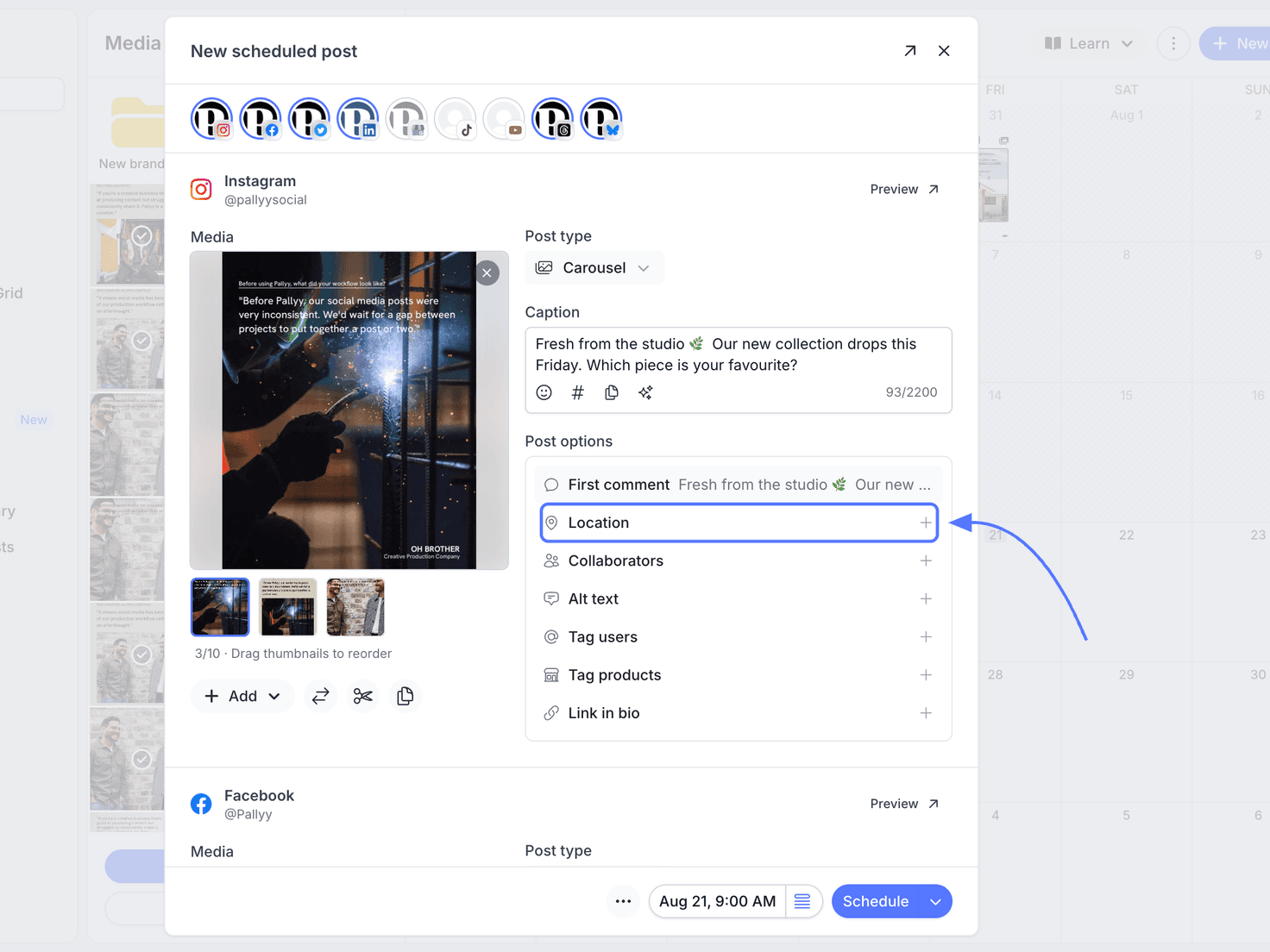
Locations are set on the Instagram card in the post composer, as part of the post:
- Create or open a post from Calendar > Month.
- On the Instagram card, under Post options, click Location.
- Search for the place and select it from the results.
- Schedule the post as normal. The location publishes with everything else, no extra step needed.
Locations need your Instagram account connected with Login with Facebook (a business or creator profile linked to a Facebook page). If your account was added with Login with Instagram, reconnect it with Login with Facebook from Settings > Social Sets. See Instagram integration for more on connecting.
If your post fails because of the location
An unrecognized location is one of the most common reasons an Instagram post fails at publish time. Instagram's API only accepts locations it considers valid places, and it rejects the whole post when the location doesn't qualify.
If your Instagram post failed while the same post published fine to other networks, the location is the first thing to check. If Instagram's API doesn't recognize the chosen location as a valid place, the Instagram post fails at publish time. Remove the location and reschedule the post to fix it.
Frequently asked questions
Does the location publish automatically?
Yes. The location you pick in Pallyy publishes with the Instagram post through the official API, with nothing to finish on your phone.
Why did my Instagram post fail when other networks published fine?
Usually the location. If Instagram's API doesn't recognize your chosen location as a valid place, it rejects the Instagram post while other networks publish normally. Remove the location and reschedule.
Why can't I add a location to my post?
Your account is probably connected with Login with Instagram. Locations need a Login with Facebook connection, so reconnect from Settings > Social Sets and choose Login with Facebook.
More in Features
Still need help? Email us at hey@pallyy.com and we'll get back to you.