
Pallyy's post labels are reusable colored tags for organizing posts and ideas, built for planning, filtering, and quick review. Give a label a name and a color, apply it wherever it fits, and your content suddenly has structure: campaigns, content pillars, clients, approval status, whatever system works for you.
How to create a label
Pallyy keeps all your labels on one page at Publish > Labels. Each label is just a name and a color, so setup takes seconds:
- Go to Publish > Labels.
- Create a label, pick a name and a color.
- Edit or delete labels anytime, and bulk delete when you're clearing out a whole batch.
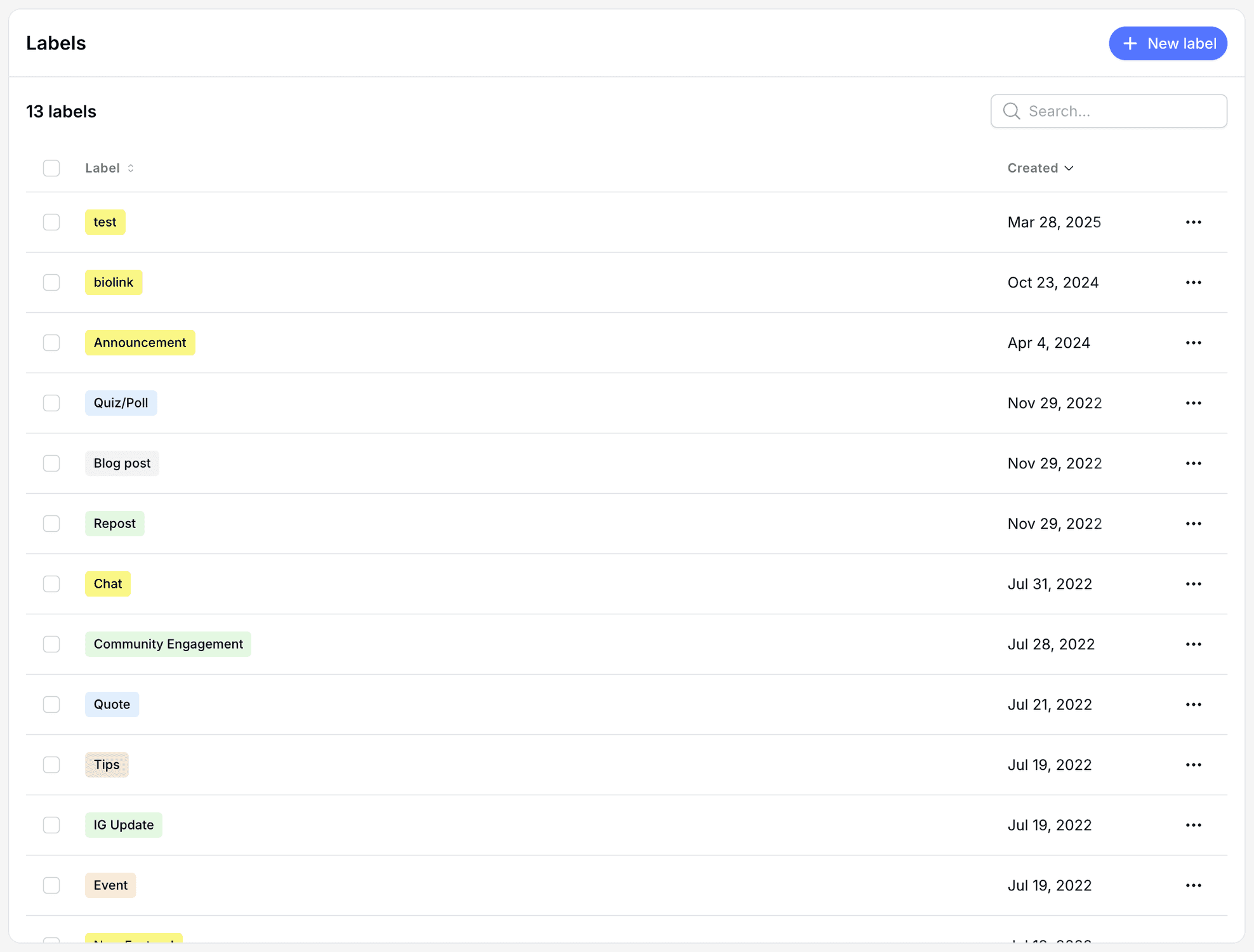
Because labels are reusable, one "Product launch" label can tie together every post in the campaign, across weeks of content.
Apply labels to posts and ideas
Pallyy lets you label both posts and ideas, in two places:
- In the composer: open More Options and choose Labels while you edit a post in the post composer.
- In bulk: select multiple posts on the posts list and apply labels to all of them at once.
Bulk labeling is the fast way to retrofit a system onto content you've already scheduled.
Filter and review by label
Pallyy filters both the posts list and the calendar by label, so you can look at just one slice of your content at a time. Want to see only this month's promo posts on the calendar? One filter. The posts list also shows label columns, so you can scan what's tagged with what without opening anything.
Frequently asked questions
What's the difference between a label and a hashtag list?
Labels are internal. A Pallyy label organizes your posts inside Pallyy and never appears in the published post, while hashtag lists insert real hashtags into your captions.
Can I add a label to lots of posts at once?
Yes. Pallyy's posts list has bulk actions, so you can select a batch of posts and apply a label to all of them in one go.
Do labels work on ideas too?
Yes. Pallyy labels apply to both posts and ideas, so you can organize your content pipeline with the same system from rough idea to scheduled post.
More in Features
Still need help? Email us at hey@pallyy.com and we'll get back to you.