
Pallyy crops your images in two places: the post composer's media gallery, which crops each image to the aspect ratio your post type needs, and the media uploader's built-in editor, which lets you crop and rotate media as you upload it. Either way, your images fit the platform before the post goes anywhere near publishing.
How to crop an image
Cropping lives in the composer's media gallery. To crop an image in a post:
- Open your post from Calendar > Month, or start one with New, then Post.
- In the media gallery, select the image you want to crop.
- Click the Crop image button below the media.
- Drag the crop frame over the part you want to keep. Zoom with scroll or pinch, and change the Aspect ratio from the menu if you need a different shape.
- Click Save. The cropped version replaces the image in this post only.
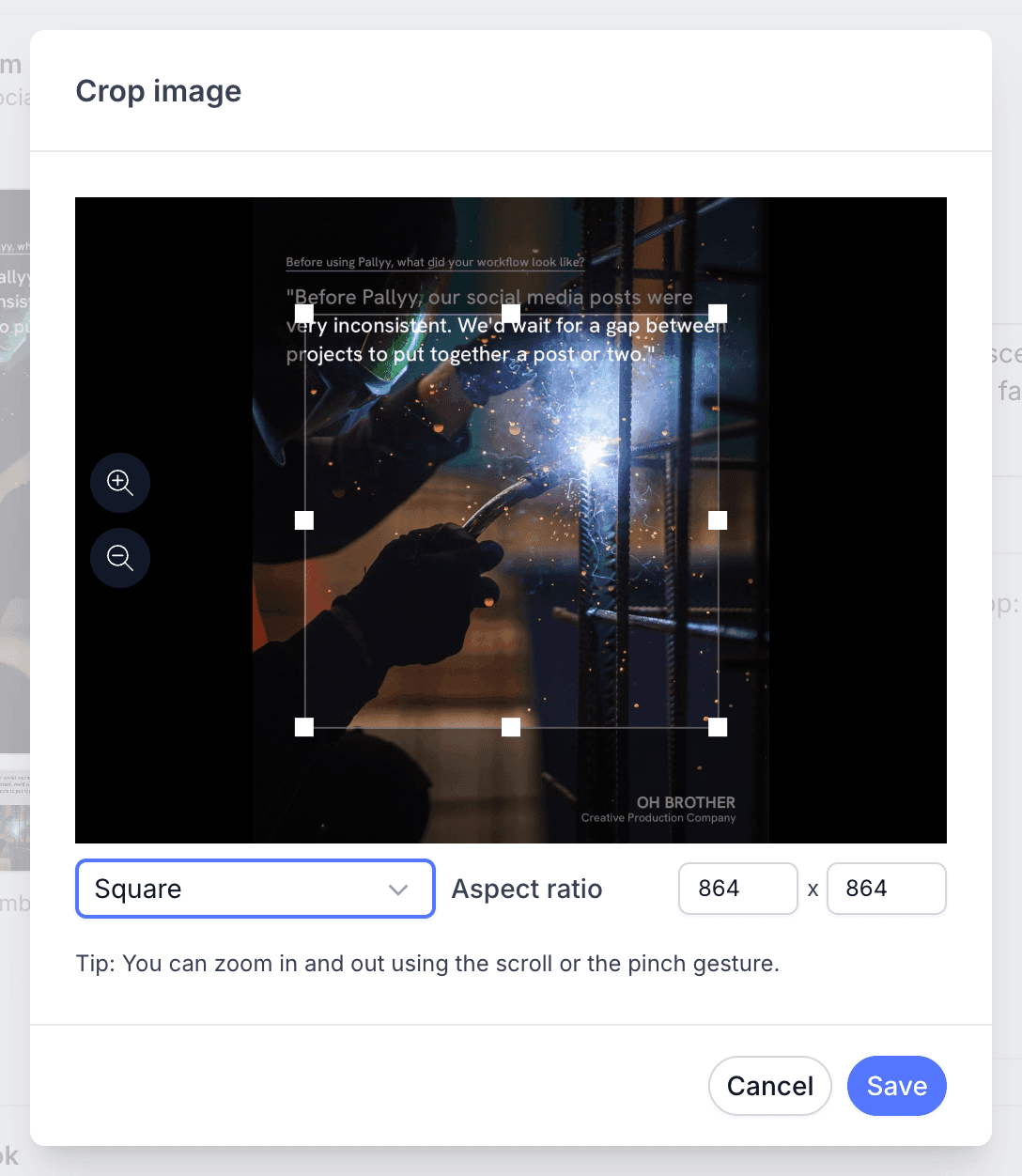
Crop images in the composer
Pallyy's composer crops each image to the aspect the post type needs, straight from the media gallery in the post composer: 1:1 for square, 4:5 for portrait, or 9:16 for vertical formats. TikTok media crops at 9:16, matching the full-screen vertical frame the platform expects.
Because the crop happens per image, a carousel with a mix of shapes takes a minute to make uniform: crop each one to the same ratio and the whole set publishes clean.
Edit images as you upload them
Pallyy's media uploader includes a built-in image editor with cropping and rotation, so you can fix media before it ever lands in your media library. A sideways phone photo or an image with dead space around the subject gets sorted at upload time, and every post that uses it afterwards starts from the corrected version.
Which tool to use when
Use the uploader's editor for fixes you want everywhere, and the composer's crop for fits you want on one post.
Rotation and general cleanup belong at upload, since they apply to the stored file. Aspect ratio cropping usually belongs in the composer, because the right ratio depends on the post you're building.
Frequently asked questions
What aspect ratios can I crop to?
Pallyy's composer crop offers the ratios post types need: 1:1, 4:5, and 9:16. TikTok media crops at 9:16.
Can I rotate an image in Pallyy?
Yes. Pallyy's media uploader has a built-in image editor with cropping and rotation, so you can straighten an image as you upload it.
Do I have to crop before uploading?
No. Pallyy lets you upload first and crop later, since the composer's media gallery has its own Crop action for fitting images to your post type.
More in Features
Still need help? Email us at hey@pallyy.com and we'll get back to you.