
Pallyy adds alt text to your images straight from the composer, up to 256 characters per image, so screen reader users get a real description of your visuals instead of silence. It's available on Instagram image and carousel posts, Facebook images, LinkedIn images, X (Twitter) images, and every Pinterest Pin.
How to add alt text
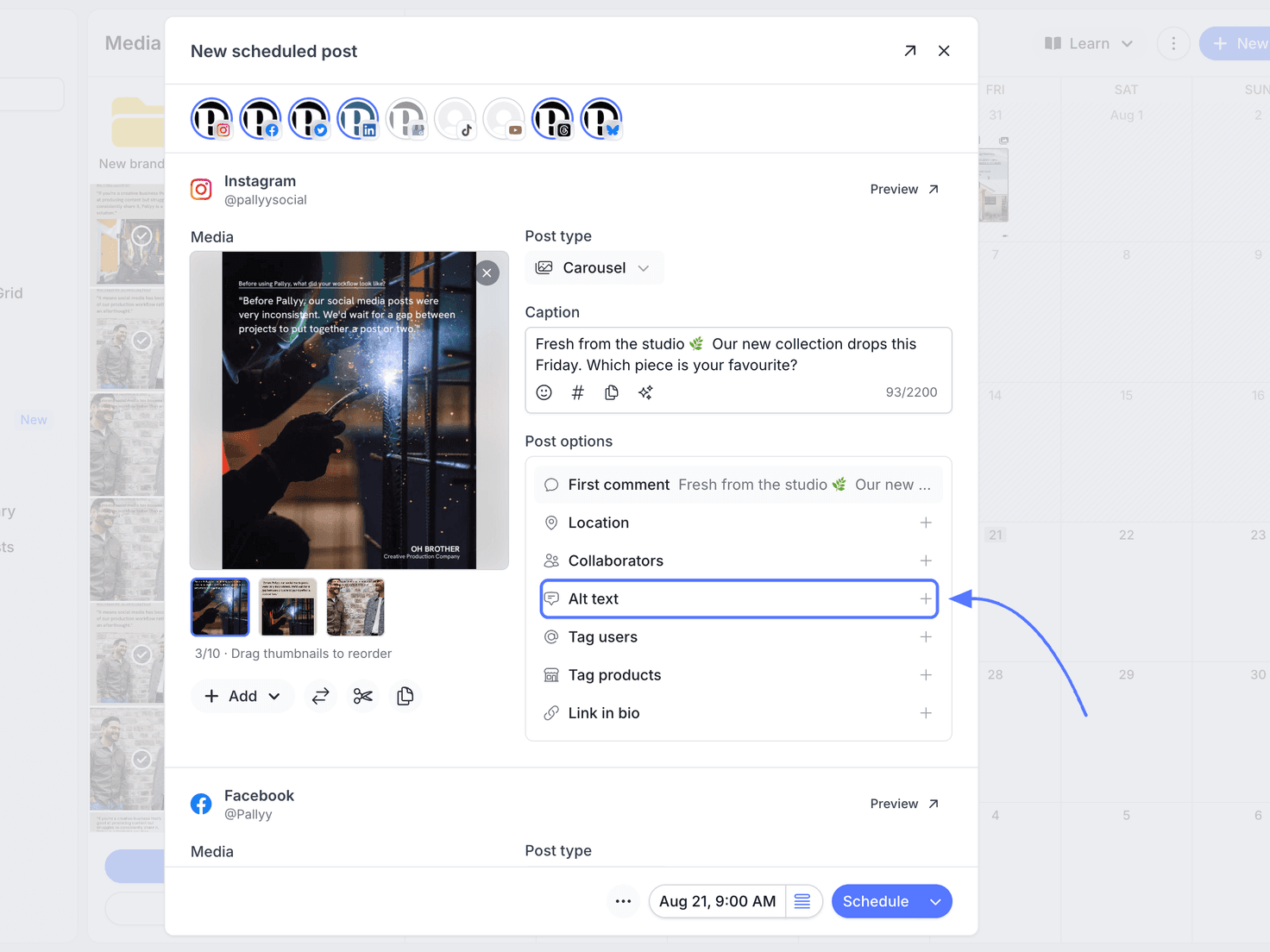
Alt text lives in each network's Post options section in the composer. To add it:
- Open your post from Calendar > Month, or start one with New, then Post.
- Scroll to the network's Post options section, below the caption.
- Click the Alt text row.
- Write a short description of the image, up to 256 characters. In a carousel, click each thumbnail to describe every image.
- Click Save.
What good alt text looks like
Each image gets its own alt text, so a carousel can describe every slide individually. Keep it under 256 characters, which is the limit.
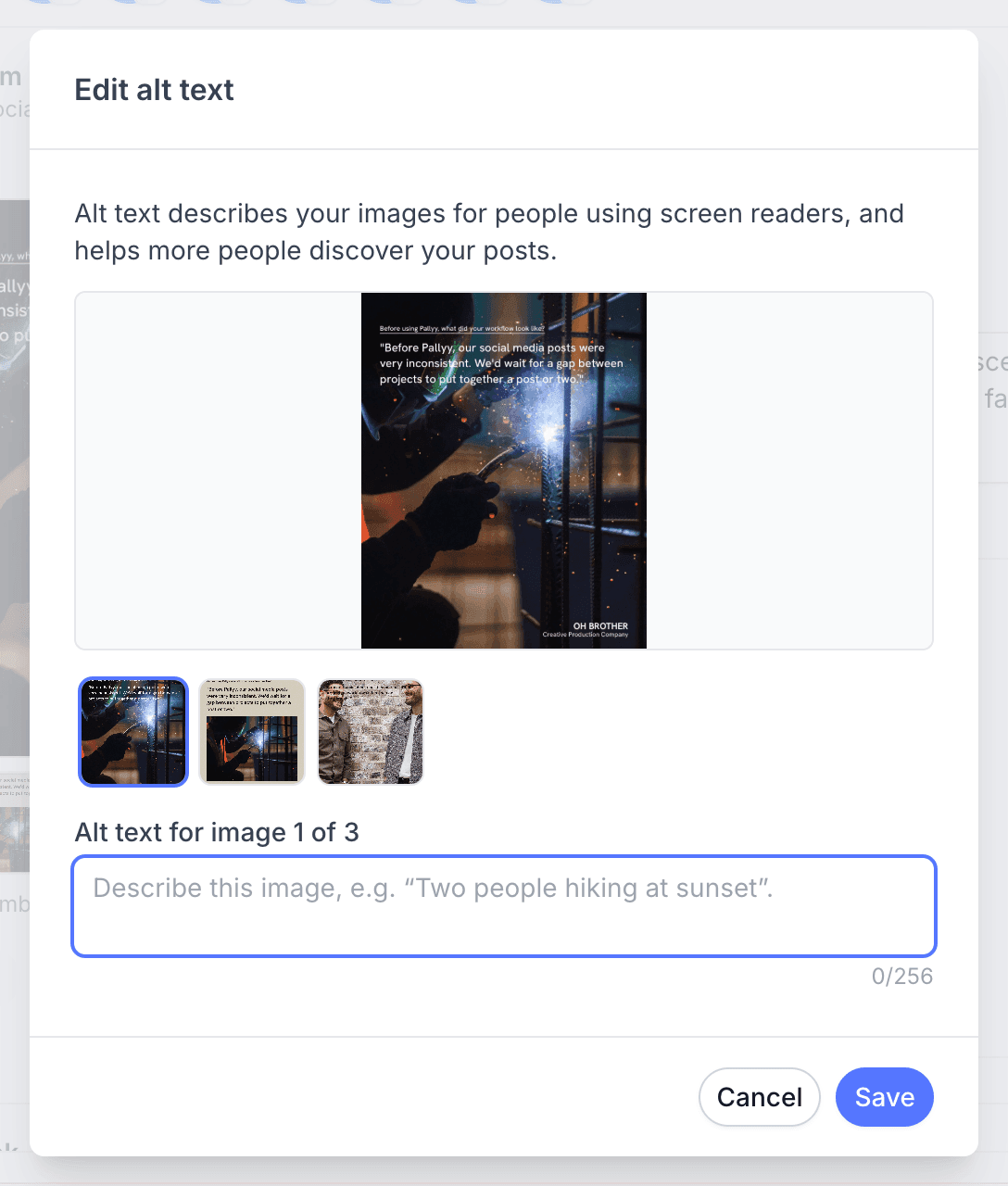
Describe what's actually in the image: "Team photo at the spring launch event" beats "photo" every time.
Where alt text is supported
Pallyy supports alt text on these networks:
- Instagram: image and carousel posts, published through your Instagram integration
- Facebook: images
- LinkedIn: images
- X (Twitter): images
- Pinterest: every Pin
Write it once per image in the composer and Pallyy sends it along wherever the post goes.
Frequently asked questions
How long can alt text be?
Up to 256 characters per image. That's enough for a clear, specific description without turning into a second caption.
Which networks does Pallyy's alt text work on?
Instagram image and carousel posts, Facebook images, LinkedIn images, X (Twitter) images, and every Pinterest Pin. You add it with the alt text action on the media in the composer.
Does alt text show up in my caption?
No. Alt text is attached to the image itself and read by screen readers, so it never appears in your visible caption.
More in Features
Still need help? Email us at hey@pallyy.com and we'll get back to you.