
Pallyy puts trending Instagram audio on your scheduled Reels: search Instagram's audio library from the composer, preview tracks, and attach the one you want before the Reel ever publishes. Scheduling ahead doesn't mean missing the sound everyone's using this week.
How to use trending audio on a Reel
The audio picker lives on the Instagram card in the post composer:
- Create or open a post from Calendar > Month.
- On the Instagram card, add your video and set the Post type dropdown to Reel.
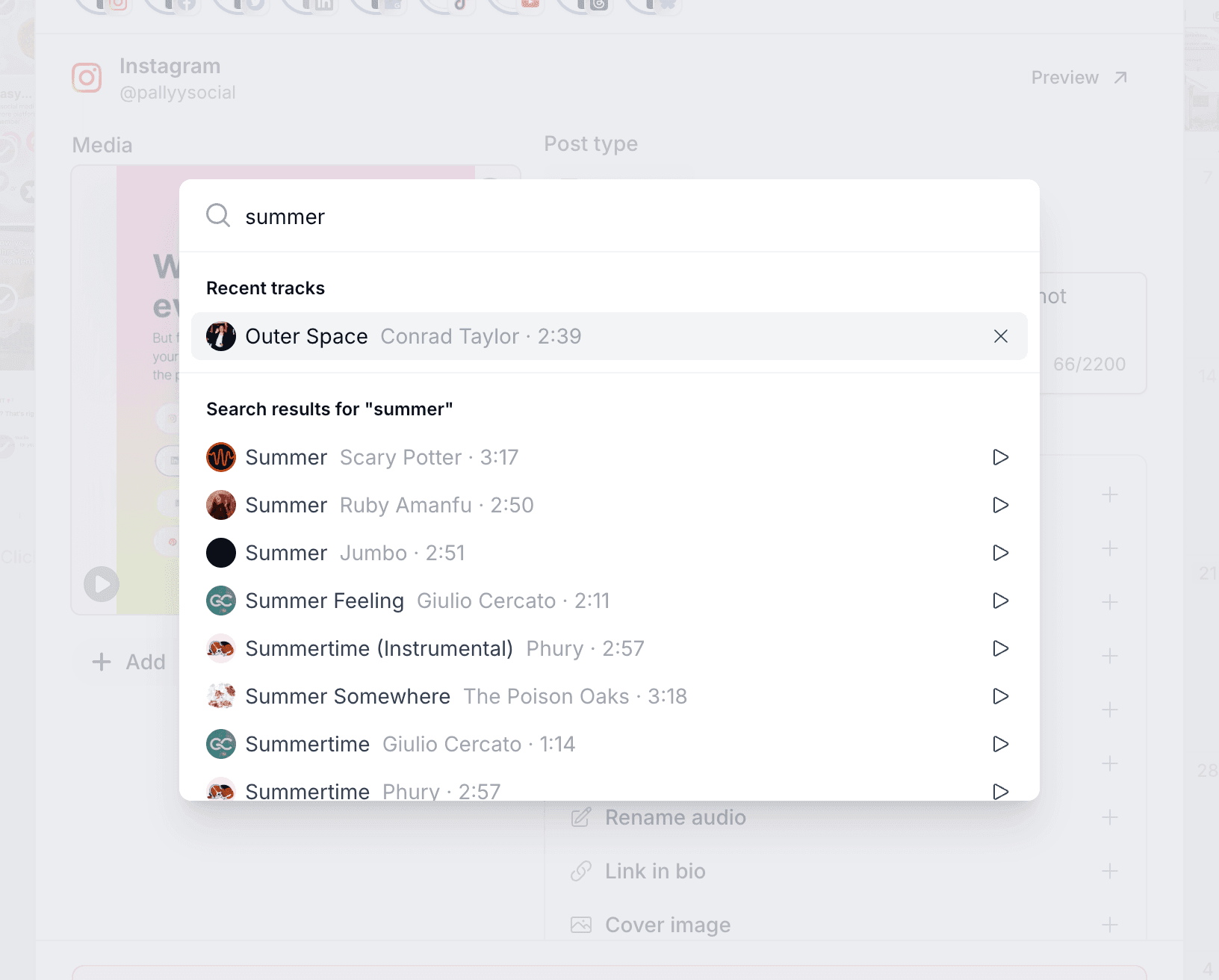
- Under Post options, click Audio.
- Search for a track, and press the play button to preview it before committing. Tracks you've used before wait in your recents.
- Select the track and schedule the post. The Reel publishes with that audio through your Instagram integration.
That's how a Reel scheduled three days ago still rides today's trending sound, without opening Instagram once.
Picking audio needs your Instagram connected with Login with Facebook, the same as collaborators and product tags. See the Instagram integration for how to reconnect.
How to rename your Reel audio
Using your video's own sound instead? The Rename audio row sits just below Audio on the Instagram card. Click it, type a name, and schedule: left blank, the audio publishes as Original Audio, the same generic label every unnamed Reel sound gets.
Pallyy can rename a Reel's audio exactly one time, so pick a name you're happy with before you schedule. A custom name is a small branding touch: your sound carries your brand instead of "Original Audio" like everyone else's.
Frequently asked questions
Can I use trending Instagram audio on a scheduled Reel?
Yes. Pallyy's audio picker searches Instagram's audio library, with previews, so you can attach any available track to a scheduled Reel from the composer.
Can I preview a track before choosing it?
Yes. Every track in Pallyy's audio search has a play button, so you can listen before attaching it to your Reel.
What happens if I use my own sound and don't set a name?
Your Reel's audio is labeled "Original Audio" on Instagram. Renaming it in Pallyy is a one-time change and only affects the label, not what viewers hear.
More in Features
Still need help? Email us at hey@pallyy.com and we'll get back to you.