
Pallyy's push notification posts send a reminder to your phone at posting time instead of publishing automatically, with the media and caption ready so you can finish the post yourself in a few taps. It's the scheduling workflow for anything the platforms won't let an app publish on your behalf.
How to schedule a push notification post
Push notification posts are created in the composer like any other post. To schedule one:
- Start a post from Calendar > Month: click New, then Post, then Continue to edit to open the full composer.
- On the Instagram or Facebook post, set the post type to Push notification.
- Write your caption and add your media as usual.
- Pick a date and time, then click Schedule.
- At posting time, Pallyy pings your phone with the media and caption ready, and you finish the post in the native app.
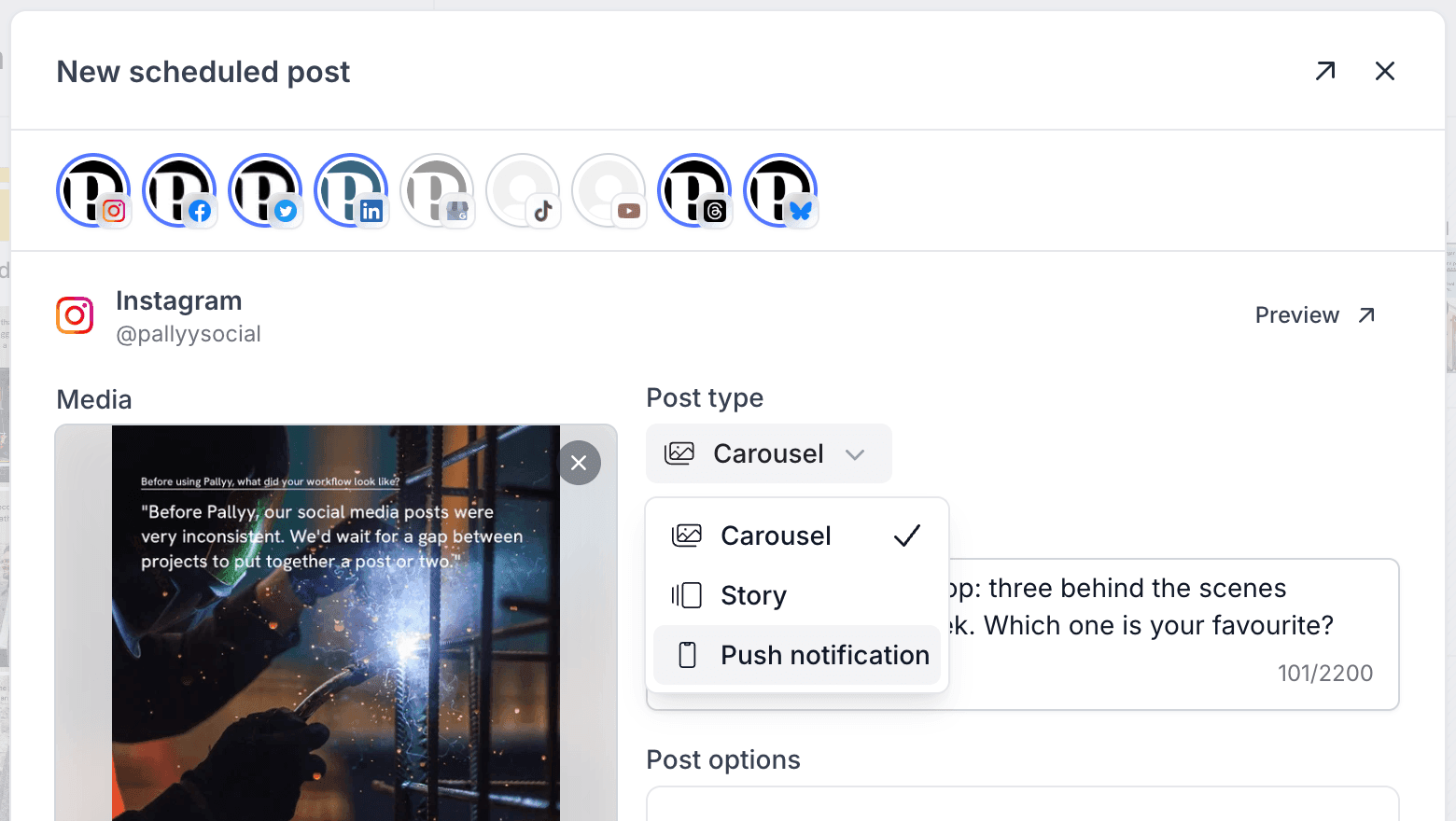
When to use a push notification post
Use a push notification post whenever the post needs something the platform APIs don't allow in scheduled posts, like links or stickers on Instagram stories. You still plan the post in Pallyy like any other, but the final publish happens on your phone, where the native app gives you every feature the platform offers. For everything the APIs do support, regular auto-publishing is still the easier path.
Set up the Pallyy mobile app
The notification arrives through the Pallyy mobile app, so you'll need it installed with notifications enabled before your first push notification post goes out.
Get the app and enable notifications at Settings > Push notifications, available for both Apple and Android. When posting time comes, Pallyy pings your phone with the media and caption ready, and you finish the post manually from there.
Frequently asked questions
Which platforms support push notification posts?
Instagram and Facebook. Pallyy's Push notification post type is available for posts on both, and everything else in the composer works the same as a regular post.
Why would I use a push notification post instead of auto-publishing?
Because some things can't be scheduled through the platform APIs. Push notification posts let you plan content like Instagram stories with links or stickers in Pallyy, then add those pieces yourself when the notification arrives.
What do I need on my phone?
The Pallyy mobile app with notifications turned on. Install it and enable notifications at Settings > Push notifications, on Apple or Android.
More in Features
Still need help? Email us at hey@pallyy.com and we'll get back to you.